• Welcome to Photrio!
    Registration is fast and free. Join today to unlock search, see fewer ads, and access all forum features.
    Click here to sign up

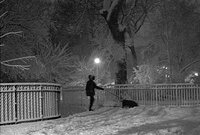
60x70 cm enlargements 35mm negative

feeling grey

A
feeling grey

  • 0
  • 0
  • 25
Inconsequential

H
Inconsequential

  • 2
  • 0
  • 38

Recent Classifieds

Forum statistics

Threads
201,800
Messages
2,830,393
Members
100,961
Latest member
pisimimail
Recent bookmarks
0

KenS

Member
Allowing Ads
Joined
Jan 2, 2005
Messages
941
Location
Lethbridge, S. Alberta ,
Format
Multi Format
If my ageing memory serves me well enough, the correct viewing distance for an 'enlarged print' (to allow for the correct perspective to the viewer's eye), should be the linear enlargement multiplied by the focal length of the lens through which the negative was exposed.... often, however, largely ignored.

Ken.
 

baachitraka

Member
Joined
Apr 6, 2011
Messages
3,646
Location
Bremen, Germany.
Format
Multi Format
I was expecting ISO 50/100 film :tongue: but very happy to know that ISO > 100 is capable of prints of that size. Wish we can see more of your works.
 

baachitraka

Member
Joined
Apr 6, 2011
Messages
3,646
Location
Bremen, Germany.
Format
Multi Format
Bit curious about your enlarger capabilities. Do you project it on the wall/floor? What enlarger lens is in use there?
 

bence8810

Member
Allowing Ads
Joined
Oct 18, 2015
Messages
377
Location
Tokyo
Format
Multi Format
My capabilities are very limited. I started shooting film 2 years and some 10 months ago and printing about a year and a half.

If you care to - you can read about the process here on APUG I posted a while back.

Thanks,
Ben

(there was a url link here which no longer exists)
 

nworth

Member
Allowing Ads
Joined
Aug 27, 2005
Messages
2,228
Location
Los Alamos,
Format
Multi Format
Most really high quality enlarging lenses would be pretty much up to this task. The taking lens and film system may be the problem. With typical high quality equipment and materials, you will probably get about 100 lines per inch resolution on the print, which means you will get a somewhat degraded image when viewed closer than about 11 feet. That's ideal, and it's hugely greater than what works in practice. What really works depends on both the picture and the viewing distance, but I think most really sharp shots will be quite acceptable at 4 or 5 feet, and some even closer. Yes, the grain will be obvious. I've seen very good, successful, high impact prints from 35mm made by available light in a jazz club (far from ideal, and not technically super sharp) that were even larger than this.
 

flavio81

Member
Allowing Ads
Joined
Oct 24, 2014
Messages
5,241
Location
Lima, Peru
Format
Medium Format
bence8810,

Thanks for the information! This means that ISO 100/125 film will work just fine at those magnification factors.
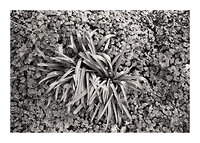
It has been long ago since i saw a 70x100cm print made from a 35mm negative, and it was GREAT that you showed us that example, because it reminded me that grain can look beautiful as well. I think this is a beautiful result.
 

M Carter

Member
Allowing Ads
Joined
Jan 23, 2013
Messages
2,149
Location
Dallas, TX
Format
Medium Format
I was responding to the initial comment you made, about "Just curious - in that case, say doing a very large print from a 4x5 negative beyond the recommended size of the enlarging lens", as a 24" print is merely about 6X enlargment of a 4x5...not 'large' from the standpoint of degree of magnification.

Exactly why i responded. A 24" print from a 4x5 neg shouldn't be beyond the recommended size for the lens. My (somewhat academic/theoretical) question remains unanswered - theoretically, could some amount of field curvature be compensated for at the baseboard?

(I'm working towards 48" - 60" prints, liquid emulsion on canvas. That ought to get me in Rodenstock G territory, but good luck finding one of those.)
 

ic-racer

Member
Joined
Feb 25, 2007
Messages
16,728
Location
USA
Format
Multi Format
Just curious - in that case, say doing a very large print from a 4x5 negative beyond the recommended size of the enlarging lens - would lifting or lowering the corners of the paper bring the corners into the proper alignment? Not really planning anything along these lines, but wondering if field curvature is an issue, can you compensate on the baseboard - theoretically at least?
Back in graduate school, before I could afford the Schneider HM lenses, I tried flipping the negative so it curved upward and also tried making a mound of styrofoam over which I could stretch the paper. The problem is that the focal shift at the corners (for a flat negative) was quite a few centimeters lower at the corners (or higher at the center). That was too much to correct with physical manipulations. This was all with respect to making 16x20 from 35mm with a common Nikkor 50 2.8.
There was a solution, however. That is to focus based on the focal spread and use F16. Realizing the grain is noticeable slightly less sharp than f8, the overall print at f16 is quite good. The key is to focus exactly in the center of the focal spread from corner to center of the negative.
I only figured all that out later in my career when I had a Schneider HM, but I still like exploring the limits of things.

The size of Airy disks and circles of confusion can be optimized for any depth of field required as represented in this slight modification of the view camera focusing equation (equation #38 in Dead Link Removed):

N_max ~ 20 / (1 + m) sqrt(dv)

N-max = F number
m = magnification
dv = focusing leeway on the baseboard, represented as the distance on the enlarger column between good focus on the highest and lowest portions of the curved or askew negative or non-flat field optical projection. (if 'dv' is zero then your negative is not curved or enlarger/baseboard/easel is not askew and the lens projects a flat field)
20 = constant for circle of confusion about 0.15mm on the print


To focus your enlarger use the following sequence (based on curved negative in an aligned enlarger). Use different high and low areas if alignment is in question (like far edges of the diagonal).

Focus on the center of the image. Note the distance marker on your enlarger column. Then (without touching the focus knob) move the enlarger head downward to focus on a corner. Make note of the distance between the two points in millimeters ("dv" in the equation above). Then position the head at the middle point between the two positions. You can use the formula to find your optimum f-stop after you figure out your magnification.

The constant of 20 is my own, based on how I look at my prints. You can calculate your own value that may or may not be the same.

 

craigclu

Subscriber
Joined
Sep 8, 2002
Messages
1,326
Location
Rice Lake, Wisconsin
Format
Multi Format
When stretching the limits of materials and equipment like this, don't forget the effect of a well-aligned enlarger. This is especially true when using good APO glass which tend to have a sweet spot at close to wide open.
 

Gerald C Koch

Member
Allowing Ads
Joined
Jul 12, 2010
Messages
8,131
Location
Southern USA
Format
Multi Format
People will talk about lens quality but you must also consider vibration of the enlarger during exposure. Make sure that your enlarger is aligned properly and on a sturdy foundation. Use the optimum aperture for your particular enlarger lens.
 

John Wiegerink

Subscriber
Allowing Ads
Joined
May 29, 2009
Messages
4,034
Location
Lake Station, MI
Format
Multi Format
What Gerald says above is very true. I had a problem getting pin-sharp prints 100% of the time in 35mm and even medium format. I could get a very sharp print one time and then print the same negative without moving or changing any setting on my Omega D3V and it just wasn't as sharp as the first one. So, without any further testing I bought a glass carrier thinking it was the negative popping. I did the old "leave it on for a minute or so" trick to pre-pop the negative, but that didn't always work so thought it time for the glass carrier. Well, the glass carrier didn't always do the trick either. Back to square one? I then thought about the vibration thing. I got some angle iron and braced my head to the wall and one side to the cement block chimney next to the enlarger. I figured the D3V being braced to the chimney would be similar to being braced to The Rock of Gibraltar. It was certainly better, but every now and then I would get a fluke-fuzzy print that was lacking in sharp edge lines. I'd do a reprint and it would be fine. I made sure no washing machines or the like were running while I was printing so I was pretty sure it was house related or anything I was doing. I was really stumped. While setting in front of my enlarger and pondering what the hell was going on a semi-truck went by on the road in front of and near my house. Bingo! I live on a pretty busy road less than a quarter mile from a major highway and it get its share of heavy truck traffic. When that truck went by the house actually vibrated/shook. I got out my laser align tool and set it on the glass negative carrier aimed at the easel with a white piece of paper in it. Now I sat in the dark and waited. About eight to ten minutes went by and another truck showed up. That little red dot danced for what seemed like at least two seconds. Now I had the answer. I also tried some walking and bumping the table I have the enlarger on. Yup, more dancing. Since that day I have switched to a Ilford 400Hl VC head and try only to work after 11:00pm (I'm retired so I can sleep in) when there is little traffic and the wife is in bed. It's one thing to have a constant problem since you can keep trying things until you pinpoint the cause, but an erratic or irregular problem makes life real interesting.
 

M Carter

Member
Allowing Ads
Joined
Jan 23, 2013
Messages
2,149
Location
Dallas, TX
Format
Medium Format
...That little red dot danced for what seemed like at least two seconds. Now I had the answer. I also tried some walking and bumping the table I have the enlarger on. Yup, more dancing. Since that day I have switched to a Ilford 400Hl VC head and try only to work after 11:00pm (I'm retired so I can sleep in) when there is little traffic and the wife is in bed. It's one thing to have a constant problem since you can keep trying things until you pinpoint the cause, but an erratic or irregular problem makes life real interesting.

I re-entered darkroom work a few years back with a cheap little 67c. And in a 2nd story room of a 1930's frame and brick house. Our foundation seems different every year. But I made a sturdy table, 2 layers of 3/4 ply, bolted to the wall and floor, and made a ceiling mount to keep the top of the column stable. And I also made a DIY alignable lens board, and got one of those "See into the corners" grain magnifiers.

I was able to make some really silly-sharp prints at 16x20 this way, and some of them were lith prints with exposures of 2-3 minutes.

I've since found a nice 45MXT and am dialing it in. First of the year I'll likely be ready for some large work, and I intend to shore up the wall with bracing and a plywood layer, and make a very butch wall mount for the thing. Stability + alignment is the way to go.

I What I really wish we had was a "rent an alignment laser" service! Yeah, I'll drop the $200 on one at some point. Always something that is screaming for money...
 

M Carter

Member
Allowing Ads
Joined
Jan 23, 2013
Messages
2,149
Location
Dallas, TX
Format
Medium Format
Back in graduate school, before I could afford the Schneider HM lenses, I tried flipping the negative so it curved upward and also tried making a mound of styrofoam over which I could stretch the paper. The problem is that the focal shift at the corners (for a flat negative) was quite a few centimeters lower at the corners (or higher at the center). That was too much to correct with physical manipulations. This was all with respect to making 16x20 from 35mm with a common Nikkor 50 2.8.
There was a solution, however. That is to focus based on the focal spread and use F16. Realizing the grain is noticeable slightly less sharp than f8, the overall print at f16 is quite good. The key is to focus exactly in the center of the focal spread from corner to center of the negative.
I only figured all that out later in my career when I had a Schneider HM, but I still like exploring the limits of things.

The size of Airy disks and circles of confusion can be optimized for any depth of field required as represented in this slight modification of the view camera focusing equation (equation #38 in Dead Link Removed):

N_max ~ 20 / (1 + m) sqrt(dv)

N-max = F number
m = magnification
dv = focusing leeway on the baseboard, represented as the distance on the enlarger column between good focus on the highest and lowest portions of the curved or askew negative or non-flat field optical projection. (if 'dv' is zero then your negative is not curved or enlarger/baseboard/easel is not askew and the lens projects a flat field)
20 = constant for circle of confusion about 0.15mm on the print


To focus your enlarger use the following sequence (based on curved negative in an aligned enlarger). Use different high and low areas if alignment is in question (like far edges of the diagonal).

Focus on the center of the image. Note the distance marker on your enlarger column. Then (without touching the focus knob) move the enlarger head downward to focus on a corner. Make note of the distance between the two points in millimeters ("dv" in the equation above). Then position the head at the middle point between the two positions. You can use the formula to find your optimum f-stop after you figure out your magnification.

The constant of 20 is my own, based on how I look at my prints. You can calculate your own value that may or may not be the same.

Thanks IC, that's just what I was wondering at a sort of speculative level; good to know the practical side of it.

I'm actually working with a process where I do bromoil prints, re-shoot on 4x5 and then print them large on liquid emulsion/canvas. Realizing that if I go a little big on the bromoils, I should be able to go up to 48" or more and still be within lens ranges for both generations.

That does make sense though, look for the median between corner and center focus. This is the kind of thing I test the hell out of with RC paper as well.
 

darkroom_rookie

Member
Allowing Ads
Joined
Jul 5, 2010
Messages
386
Format
Medium Format
Couldn't agree more with the majority of replies, but just let me chime in with a suggestion from memory (since my darkroom days are on hold for a while).

This was one of the first conundrums I set myself to solve in darkroom printing - and I did.

Unfortunately.

A Rodagon-G 50mm is going to cost you much more than what they're worth by this point. I had one - and sold it for 300% of what I paid for it. BTW, I bought it in 2008 and sold it in 2014. They were last made in 1998.

Two far cheaper lenses worked equally good for me. Hoya 60mm f4 Super-EL (Biogon-type 8-element lens) and Rodagon WA 60mm f4. The former has just a bit lower contrast, which is actually good for colour printing, but three stops down it's equally sharp as Rodenstock lens closed two stops - for 35mm format.

Really, anything above 10x and the image characteristics become "artistic", whatever that actually means. If you're being asked to make an "artistic" print for a client, then that's another matter.

But there's really only so much excessive grain a sane person can take in a certain number of years.

In any case, have fun printing.
 
Last edited:

MartinP

Member
Allowing Ads
Joined
Jun 23, 2007
Messages
1,569
Location
Netherlands
Format
Medium Format
Jessestr, obviously one cannot make a large enlargement from 135 -- the space-time continuum will be totally destroyed. Very dangerous. :wink: What you need is a contact-print, directly from a camera-negative . . .

On the other hand, as your enlarger can project this large on the baseboard (jealous? me??) you could see what the 60x70cm result will actually be like by simply putting a 'sane' size of paper at appropriate points within the large projected image. Experiments with focusing, enlarger bracing, corner-sharpness and so on using 8x10" paper is far less stressful to the wallet and darkroom time!

Processing the large paper would also be interesting. Will you use rolling-in-a-trough, or single-tray refilling, or ??

Good luck with the project, and I'm sure we are all interested in seeing how the idea turns out. (Hint, hint).
 
Photrio.com contains affiliate links to products. We may receive a commission for purchases made through these links.
To read our full affiliate disclosure statement please click Here.

PHOTRIO PARTNERS EQUALLY FUNDING OUR COMMUNITY:


Ilford ADOX Freestyle Photographic Stearman Press Weldon Color Lab Blue Moon Camera & Machine
Top Bottom