

• Welcome to Photrio!
    Registration is fast and free. Join today to unlock search, see fewer ads, and access all forum features.
    Click here to sign up

Filter correction for color negative orange mask.

Recent Classifieds

Forum statistics

Threads
204,359
Messages
2,867,527
Members
102,233
Latest member
CristianSP
Recent bookmarks
0

IpseLux

Member
Joined
Apr 17, 2026
Messages
181
Location
East Tennessee
Format
35mm
A bit of a backstory…. Took some color negs to develop, negs came back fine. Prints were garbage.
The shop does not do contact prints.
I know there are apps and services that do what I’m about to ask, but I’m not interested in those at the moment.
I’m using two phones to digitize the negs, one is a light table, the other captures the rough image.
Phone will reverse colors…. But the orange mask comes out light blue.
Back in my college days, developing and printing color, we’d use filters to correct shifts.
How can I correct for this? What filter would I use?
Not that I have a selection of color filters. But I’m hoping by tweaking the image on an iPhone I can approximate a more realistic rendition.
I don’t need perfect. Close is fine.
Any ideas.
Again, I’m aware programs and apps will do this. Just want to use my iPhone alone if possible.
It may not be. And that’s fine too.
Thanks in advance.
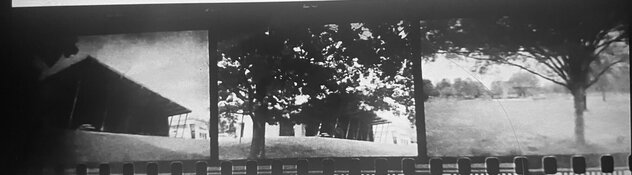
Here’s as far as I could get….
Just B&W.
 

Attachments

  • IMG_1524.jpeg
    IMG_1524.jpeg
    144.9 KB · Views: 39
Well folks. Turns out these days the phone usually y can suggest something. I keep forgetting this.
Gonna try this first. As I’m familiar with these gels and ordering a sample is enough….
Others may pitch in if it works.
“For camera scanning, place Rosco Cinegel #3202 (Full Blue), #3204 (1/2 Blue), or #4415 (1/2 Green) over the light source to counteract the orange cast and produce a balanced raw file.”
Nifty indeed.
 
You can use an app that offers a curve adjustment to manually color balance the photos of the negatives. I use Snapseed if I really have to do this on a phone.

You're better off using a different approach towards digitizing your negatives; a phone 'scan' will generally end up mediocre at best.

Quick & dirty example:
1777483498287.png

Low-end Samsung phone 'scan' of negatives on tracing pad 'light box', inversion & color balancing using curves tool in Snapseed. No other edits except cropped to image content.
The color variations across the negatives is mostly due to inconsistencies in exposure in the smartphone capture. This will be less problematic if only a single negative is isolated, but there can still be (severe) problems as phones just aren't made to do this. Your iPhone will likely yield better results than the phone used here, but ultimately it's still a tool with limitations for this end.
 
Last edited:
You can use an app that offers a curve adjustment to manually color balance the photos of the negatives. I use Snapseed if I really have to do this on a phone.

You're better off using a different approach towards digitizing your negatives; a phone 'scan' will generally end up mediocre at best.

Quick & dirty example:
View attachment 423509
Low-end Samsung phone 'scan' of negatives on tracing pad 'light box', inversion & color balancing using curves tool in Snapseed. No other edits except cropped to image content.
The color variations across the negatives is mostly due to inconsistencies in exposure in the smartphone capture. This will be less problematic if only a single negative is isolated, but there can still be (severe) problems as phones just aren't made to do this. Your iPhone will likely yield better results than the phone used here, but ultimately it's still a tool with limitations for this end.

Yeah, that works. I can tell negative sharpness easily with a 50mm normal lens as a lupe. I can tell negative exposure by density. And to some extent, due to years of practice I can look at a black and white negative and guess at the shot taken.
But when it comes to color negatives, I’m a lot less comfortably identifying them by look alone.
Any color correction helps with that. Even the cyan masked…. But if I can get them better corrected, that’d be a plus.
Just got my roscolux film samples, those should get me close.
Thanks for chiming in.
Kind regards K.
 
Photrio.com contains affiliate links to products. We may receive a commission for purchases made through these links.
To read our full affiliate disclosure statement please click Here.

PHOTRIO PARTNERS EQUALLY FUNDING OUR COMMUNITY:


Ilford ADOX Freestyle Photographic Stearman Press Weldon Color Lab Blue Moon Camera & Machine
Top Bottom
