• Welcome to Photrio!
    Registration is fast and free. Join today to unlock search, see fewer ads, and access all forum features.
    Click here to sign up

Problems with Portra Negs

Dump Truck Hat Trick

D
Dump Truck Hat Trick

  • 1
  • 0
  • 58
Street-Lamp

A
Street-Lamp

  • 3
  • 3
  • 96

Recent Classifieds

Forum statistics

Threads
204,309
Messages
2,866,968
Members
102,220
Latest member
iDavidoff
Recent bookmarks
0

Tylaar

Member
Joined
Dec 11, 2022
Messages
40
Location
London
Format
35mm
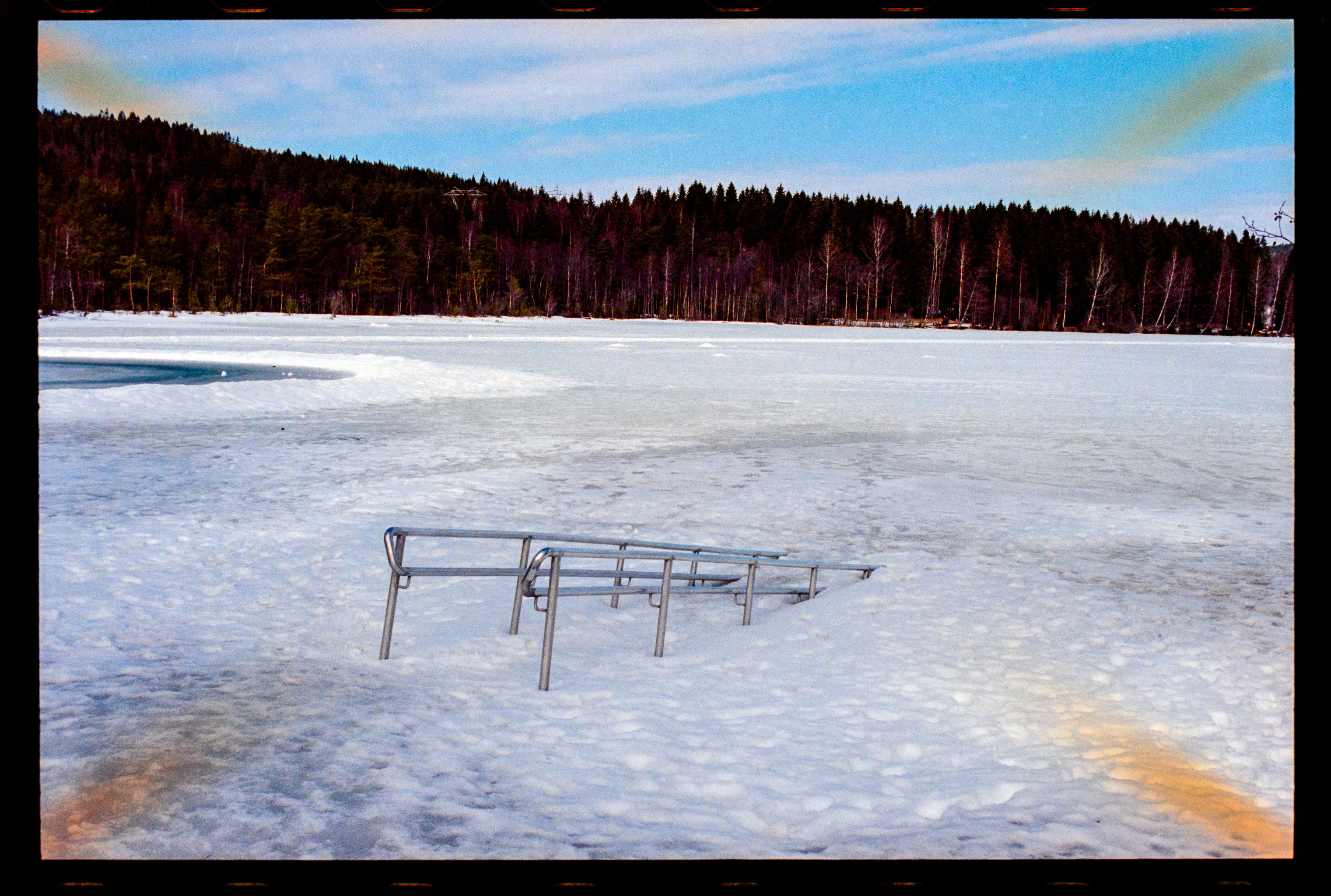
Just got some negs back from my C-41 place. First shots in color from a "new" ebay Nikon F5 (the b&w negs are fine)......... have really strage symetrical orange casts at the corners as per these examples. Any ideas?????? Its really annoying.......and I so hope its nothing to do with the camera........I scanned the negs myself using a sony a7r3 (nikon 105mm f4 macro lens).........and processed in lightroom....
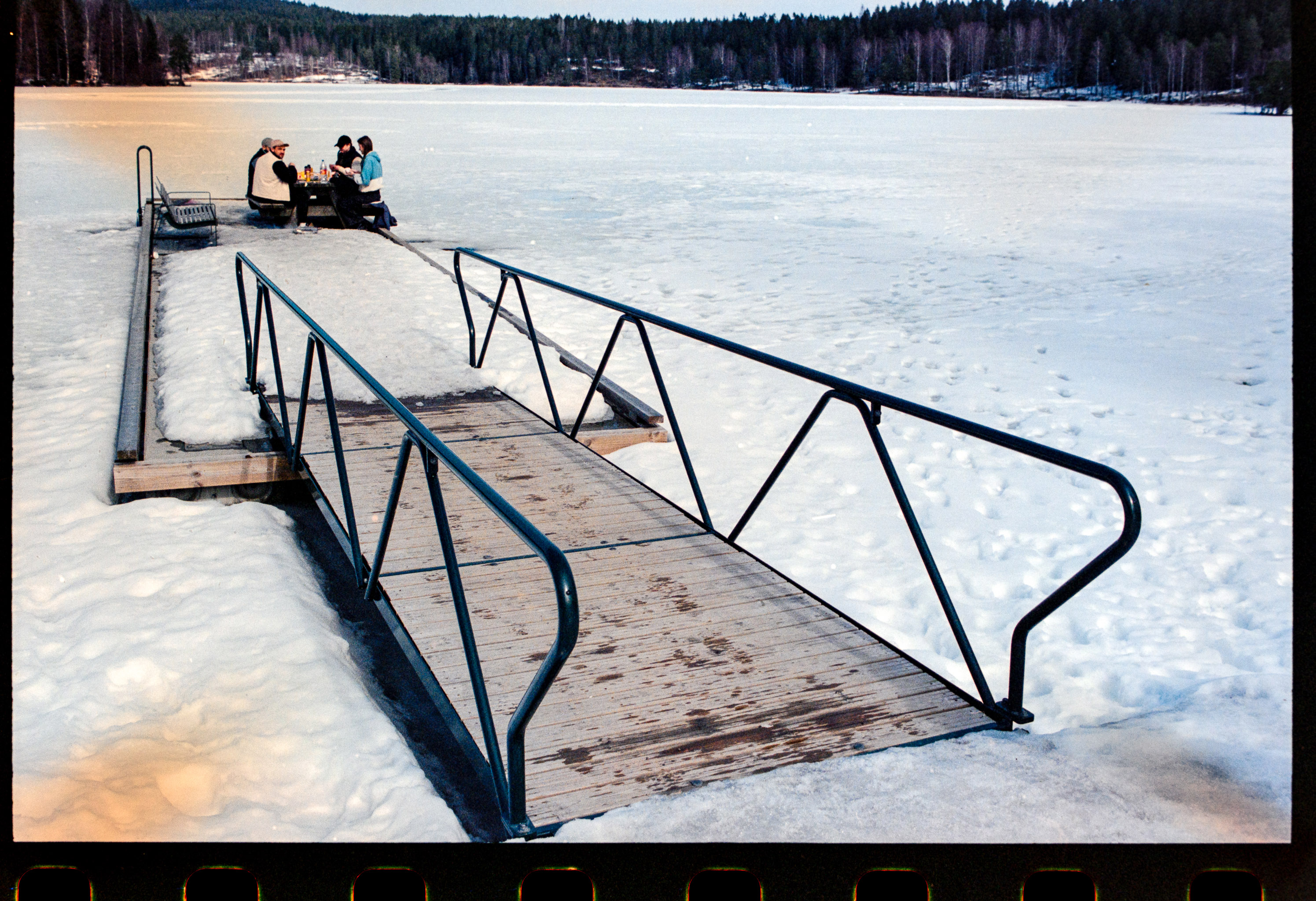
20230426-_DSC8719-Edit.jpg
20230426-_DSC8725-Edit.jpg
 
If the effect is visible on the actual negatives when viewed on a light table (check this first!!), it must be an in-camera light leak. The symmetrical pattern with light coming in from all four corners is remarkable, but it certainly excludes a processing problem or fogged film during loading/spooling etc. So if it's not caused by your digitization setup, it's a camera-related defect.
 
Looks like a 'scanning' (digitalisation) problem. All your other negatives (except the ones from your new F5) scan OK?

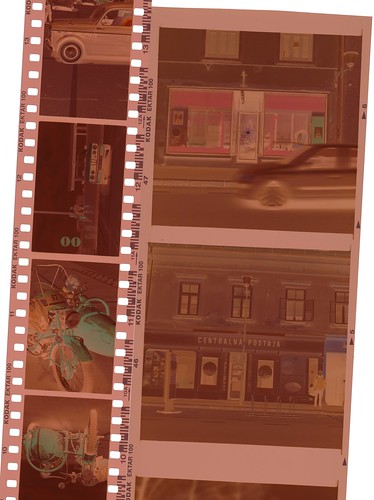
Post a shot of a strip of negatives, like that:

 
Looks like a 'scanning' (digitalisation) problem. All your other negatives (except the ones from your new F5) scan OK?

Post a shot of a strip of negatives, like that:


I think you may be right. The negs look clean but I’ve been looking at my lomography film holder/ light box and the film holder has deep angled (and shiny plastic!) sides……..I think this may be causing the bi-symmetrical reflections that appear on the scan……. I’m going to tape the corners and see if this cures the problem. Many thanks for responding!
 
If the effect is visible on the actual negatives when viewed on a light table (check this first!!), it must be an in-camera light leak. The symmetrical pattern with light coming in from all four corners is remarkable, but it certainly excludes a processing problem or fogged film during loading/spooling etc. So if it's not caused by your digitization setup, it's a camera-related defect.

Can’t see it on the negs……I think I’ve got one solution (see below )….. thanks for the response……a camera defect would be my worst possible outcome as I love that Nikon so much!
 
a camera defect would be my worst possible outcome as I love that Nikon so much!

It's also quite unlikely/uncommon in modern cameras like the F5.

The flaky film holder hypothesis sounds very reasonable. And the lack of any visible clues in the actual negatives is reassuring!
 
Looks like a 'scanning' (digitalisation) problem. All your other negatives (except the ones from your new F5) scan OK?

Post a shot of a strip of negatives, like that:


Yup. It's how you are illuminating your negs, there are reflections in there happening.
 
Photrio.com contains affiliate links to products. We may receive a commission for purchases made through these links.
To read our full affiliate disclosure statement please click Here.

PHOTRIO PARTNERS EQUALLY FUNDING OUR COMMUNITY:



Ilford ADOX Freestyle Photographic Stearman Press Weldon Color Lab Blue Moon Camera & Machine
Top Bottom