• Welcome to Photrio!
    Registration is fast and free. Join today to unlock search, see fewer ads, and access all forum features.
    Click here to sign up

What equipment do you use to calibrate?

ptloboscarmelEIR3.jpg

A
ptloboscarmelEIR3.jpg

  • jhw
  • Dec 15, 2025
  • 0
  • 0
  • 12
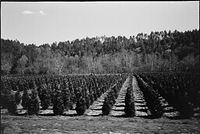
Tree Farm

H
Tree Farm

  • 1
  • 0
  • 39

Forum statistics

Threads
201,212
Messages
2,820,523
Members
100,589
Latest member
rando
Recent bookmarks
0

Robert Brummitt

Member
Allowing Ads
Joined
Nov 18, 2004
Messages
1,082
Location
Portland, Or
Format
Large Format
I'm think I will need to buy a calibration system for my monitor and printer. I looked at Colormonki and Spyder3print. These are in my price range. I have a friend who use i1pro but that's a bit more I plan to spend, What of the three do you use or do you just do your monitor and "can" icc profiles?
Thanks
 

Doyle Thomas

Member
Allowing Ads
Joined
Oct 28, 2006
Messages
276
Location
VANCOUVER, W
Format
8x10 Format
Robert, knowing your level in Photography you should for sure have a calibrated workflow. I used to use the Spyder but am now using the Monki and like it a lot. Its about the same in terms of monitor calibration, just throwing up a series of color swatches to the screen and measuring. The printer calibration however is much better. It allows you to make an initial calibration with about sixty swatches and has a utility that allows you load a given image and create a set of custom swatches for it. These new swatches can then be measured and added to your printer profile. This can be done repeatedly to refine the profile. Another feature the Monki has is the ability (I have not used) to capture a color swatch (via laptop) in the field. If you are for instance Photographing a car you can make a measurement of the paint color and profile it without needing to rely on visual memory to obtain the correct color.

The canned profiles in my experience are actually pretty good but not as good as a custom profile

Another nice item to have for obtaining color accuracy is the Color Checker Passport. It has a gray card, gray scale, and a set of swatches that you can Photograph under a given set of light conditions that can be used to set the color balance.
 
Last edited by a moderator:

Pioneer

Member
Joined
May 29, 2010
Messages
3,974
Location
Elko, Nevada
Format
Multi Format
The Datacolor Spyder 3 works fine for me. I think there is a newer version but have not seen a need for it yet.
 

RalphLambrecht

Subscriber
Allowing Ads
Joined
Sep 19, 2003
Messages
14,854
Location
K,Germany
Format
Medium Format
I'm think I will need to buy a calibration system for my monitor and printer. I looked at Colormonki and Spyder3print. These are in my price range. I have a friend who use i1pro but that's a bit more I plan to spend, What of the three do you use or do you just do your monitor and "can" icc profiles?
Thanks

Itried Spider2 with little success(colors were worse than no calibration at all) Now ,Ijust use the built-in calibration software of my iMac; easy and accurate to my eyes.
:laugh:
 
OP
OP
Robert Brummitt

Robert Brummitt

Member
Allowing Ads
Joined
Nov 18, 2004
Messages
1,082
Location
Portland, Or
Format
Large Format
Thanks for the information. I had a friend who use to do my calibrations but he lost part of his equipment and it's pretty pricey to replace. Another friend is shipping his ColorMonki to me to try. If I like it then he will sell it to me at a good price. I found out that one of my color photographer hero's Charlie Cramer uses a service to calibrate his printer/paper profiles, costs $35 a profile and he use i1Pro for his monitors.

I'm not doing much printing but I have a show to prepare for and I donate my images to several groups and noticed the colors are not right when used in prints or printed material. I figure I should check out if its me or outside my control.

Thank you again and I hope you all a great 2014!!
 

GRHazelton

Subscriber
Joined
May 26, 2006
Messages
2,251
Location
Jonesboro, G
Format
Multi Format
I've had good luck in the past using an Epson R1800 and third party inks with a program called Profile Prism. A target, furnished with the software, is scanned in and is then used to evaluate the same target printed with the printer/paper/ink trio in question. Works well. Since I've just got my Canon Pixma Pro 100 for $100 after rebate with 50 sheets of 13x19 Canon paper - YES! - I need to get to work.


The Spyder 3 does a good job with my new IPS ASUS PA248 monitor, which replaced an ancient Dell CRT. Tell me, are any laptop screens worth anything for even moderately critical editing? I took our HP Pavilion on a vacation trip with us and found that unless I held my head just right the color balance and brightness were terrible. I suppose I could use the Spyder on it, but would it be worth the effort?
 

ann

Subscriber
Allowing Ads
Joined
Sep 10, 2002
Messages
3,336
Format
35mm
I have been using colormunki
 

RalphLambrecht

Subscriber
Allowing Ads
Joined
Sep 19, 2003
Messages
14,854
Location
K,Germany
Format
Medium Format
for my monitor (iMac)I just use the standard1998 RGB profile and for the printer (Epson 3880) I made my own custom transfer function,using a digital step wedge and a densitomrter.For my purposes (B&Wony)this works great,because ,I'm only interested in contrast, not in color calibration.my experience with the Spider 2 were less than impressive.it always created a red tint on the screen;the monitor default was better.I think Apple ddid a good job with monitor color calibrationand the whole subject of monitor calibration seems somewhat exaggerated.in my opinion. defaults for equipment and paper seem to work very well for a first stab in the darkbut, I'm also interested in hearing what improvement people saw with what calibration system.
 

Richard Boutwell

Member
Allowing Ads
Joined
Jul 21, 2003
Messages
583
Location
Philadelphia
Format
8x10 Format
Anyone using Spectraview II with a NEC and what's your experience?

Yes, I use an NEC 3090 with Spectraview calibrated with an i1 photospectormeter instead of the bundled i1 display. The only issue with the i1 is that NEC recommended that it needs to be plugged in (to the actual computer and not a USB hub) for about 30 minutes before calibrating. I haven't had any issues using it this way. I saw in your other post that you set it to sRGB. It can handle 97.5% AdobeRGB, so you might be better off using that so any colors that are outside of sRGB can still be displayed and give you the ability to later convert to sRGB when needed.

One nice thing is that with the spectraview software you have the ability to define different profile setups for different uses. I use one set up for general editing set to 110 cd/m2, one for bright days or when I need all the lights on (120 (cd/m2), one set a little dimmer for soft proofing at around 90-100cd/m2. All with gamma 2.2, and 6500K..

I am not sure if the 24" has duel inputs, but the great thing about the 30" is that it can be set up to be shared between two different computers and toggle between the two with the input button on the front of the display. Also, since it doesn't rely on settings to the computer's video card for calibration it is accurate on the both the main editing computer and the drum scanning computer without needing to do any other adjustments.

I would love to see an Eizo in the flesh to be able to compare to the NEC. But the NEC works great and I'd rather spend the difference in price on more paper and inks.

 

Ruben

Member
Allowing Ads
Joined
Dec 17, 2010
Messages
6
Location
Russia
Format
35mm
I use a Spyder4Pro. It was the cheapest with an ambient light sensor. Compensating the ambient light is the best for having the same contrast as on prints. So be sure you buy a sensor with ambient light sensor.
 

Ruben

Member
Allowing Ads
Joined
Dec 17, 2010
Messages
6
Location
Russia
Format
35mm
I use Spyder4 for my monitors and the printer profiles of the paper manufacturers site when printing myself. But mostly I order my prints online. Therefore, I work with labs that offer printer profiles to do soft proof.

These combinations work best for me.
 

Alan Klein

Member
Allowing Ads
Joined
Dec 12, 2010
Messages
1,067
Location
New Jersey .
Format
Multi Format
Thanks Richard. Just saw your post. I think I read somewhere that I'd be better of setting and editing in Native for maximum gamut then converting to something else depending on the final use. Does that make sense?

Also, how do you do the edits when you intend to use them in multiple venues such as print and on the internet?
 

Richard Boutwell

Member
Allowing Ads
Joined
Jul 21, 2003
Messages
583
Location
Philadelphia
Format
8x10 Format
How woul I set my monitor to 100cd/m^2.try the brightness setting and measure medium gray with a spot meter?

I don't know how you would do that with a spot meter. I imagine you would need to know what EV at a given ISO matches the desired brightness, and then set the brightness setting like normal in the system preferences. Although that doesn't do anything for the white balance or gamma settings.

Or, you could use a colorimeter and built in software like it is designed to do.

Like I said in another post. it is like trying to drive a nail with a screwdriver. Why don,to you Just Use a hammer.


Sent from my iPad using Tapatalk HD
 

Richard Boutwell

Member
Allowing Ads
Joined
Jul 21, 2003
Messages
583
Location
Philadelphia
Format
8x10 Format
Thanks Richard. Just saw your post. I think I read somewhere that I'd be better of setting and editing in Native for maximum gamut then converting to something else depending on the final use. Does that make sense?

Also, how do you do the edits when you intend to use them in multiple venues such as print and on the internet?

That is essentially what I do. If I am making JPEGs for internet use (black and white) I do whatever colorization/toning I want! Then convert to sRGB and save as JPEG, usually with SEO relavent file name and the pixel dimensions so I can else it layer and make it easier to find. If I am really thinking ahead then I might append the meta data with keywords and website info before hand, but I usually end up doing that afterward...

I do a funny convert to 8-bit grey, to quad tone with a custom preset for warm tone prints then convert to native RGB and then set to sRGB and save as JPEG with sRGB embedded. That is all done as an action and happens in three seconds.

It is the same if I am sending cmyk for offset. I do all the editing in the native space, convert to the final color space the printer specifies, do any additional adjustments needed to print properly and save as a different name indicating the use and embed the profile.


Sent from my iPad using Tapatalk HD
 

David A. Goldfarb

Moderator
Moderator
Allowing Ads
Joined
Sep 7, 2002
Messages
19,990
Location
Honolulu, HI
Format
Large Format
I've had a Gretag Macbeth i1 device that I've used with various monitors and laptops for a few years now, and it seems to be doing the job. I think it cost around $120 at the time, and has been replaced by more than one generation of new products, but I haven't found any reason to upgrade, as long as I can still run the software.
 

RalphLambrecht

Subscriber
Allowing Ads
Joined
Sep 19, 2003
Messages
14,854
Location
K,Germany
Format
Medium Format
I don't know how you would do that with a spot meter. I imagine you would need to know what EV at a given ISO matches the desired brightness, and then set the brightness setting like normal in the system preferences. Although that doesn't do anything for the white balance or gamma settings.

Or, you could use a colorimeter and built in software like it is designed to do.

Like I said in another post. it is like trying to drive a nail with a screwdriver. Why don,to you Just Use a hammer.


Sent from my iPad using Tapatalk HD

the math to convert EVs to luminance is relatively easy as long as you know what the lightmeter was calibrated for(K-factor).too bad you don't believe in a formal engineering education.It often helps.BTW engineers haveand use both screwdrivers and hammers.srewdrivwrs for people who have a screw lose and hammers to get trial-and-error-people to understand the benefits of controlled experiments,using measurable data to evaluate progress.You can turn an engineer into an artistbut,the reverse is close to impossible;it's like throwing moist seed onto dry concrete.:wink:
 

Richard Boutwell

Member
Allowing Ads
Joined
Jul 21, 2003
Messages
583
Location
Philadelphia
Format
8x10 Format
the math to convert EVs to luminance is relatively easy as long as you know what the lightmeter was calibrated for(K-factor).too bad you don't believe in a formal engineering education.It often helps.BTW engineers haveand use both screwdrivers and hammers.srewdrivwrs for people who have a screw lose and hammers to get trial-and-error-people to understand the benefits of controlled experiments,using measurable data to evaluate progress.You can turn an engineer into an artistbut,the reverse is close to impossible;it's like throwing moist seed onto dry concrete.:wink:

I don't know when I ever said that I don't believe in formal engineering education—what I do recall saying (which was in a private exchange) is that you don't need to be an engineer, nor need to read peer reviewed papers on the physics of tonal reproduction to evaluate a good print.

The purpose of your underhanded comments about artists, engineers, and those who might have a few loose screws has to do with the original subject of monitor calibration, or using appropriate tools for their respective tasks escapes me.
 
Last edited by a moderator:

RalphLambrecht

Subscriber
Allowing Ads
Joined
Sep 19, 2003
Messages
14,854
Location
K,Germany
Format
Medium Format
you are entitled to your opinion,but it is one man's opinion and I don't share it. I believe that reading up on the science of subjective and objective toal reproduction does indeed help in evaluating and distinguishing a good print from a poor one. you should give it a chance.Kodak's research in this field, conducted around 1940 is extremely educational unless you want to relyon yourownsubjectiveness forever.It's goodto get a more objective view sometimes.:wink:
 

indigo

Member
Allowing Ads
Joined
Apr 5, 2006
Messages
48
Format
35mm
I regularly measure luminance with a spot meter. It does have a +/- 7% resolution though. I wish that I can afford to own the real luminance meter and use it as my spot meter.
 

indigo

Member
Allowing Ads
Joined
Apr 5, 2006
Messages
48
Format
35mm
Like Ralph I bought the Spyder2Express quite a good number of years ago. I didn't like it like Ralph said the color doesn't look very good. Being the cheap express model it doesn't let me calibrate more than one monitor. The profile doesn't get loaded unless I have the software installed. At startup time it takes quite long for the Spyder software to start.
Recently I bought a couple of used NEC LCD2190uxp monitors for cheap and I started using the SpectraView II software with them. I am very happy with the results.
The 100Cd/m^2 is supposed to be the luminance for white point or the brightest part of an image. I calibrated my monitors with the white point of 100Cd/m^2 and checking it with the Minolta Flashmeter VI in spot mode I found that it's only LV8.8 which is only 64Cd/m^2. 100Cd/m^2 is LV9.5. I think this error is due to the Spyder2 probe.
 

Paul-H

Member
Allowing Ads
Joined
Aug 13, 2014
Messages
30
Format
Multi Format
Hi

Feeling like the odd one out here but I use an old SpyderPro for my print profiling using the latest v4 software as the colour reading part of the hardware is the same as their new version, the monitor software does not work with the newer O/Ss so I added the Spyder4elite all seem to work well with prints looking like the image does on my monitor and two monitors look the same side by side.

Reports do suggest the Colormunki might be a better option but the Spyder solution works for me.

Paul
 
Photrio.com contains affiliate links to products. We may receive a commission for purchases made through these links.
To read our full affiliate disclosure statement please click Here.

PHOTRIO PARTNERS EQUALLY FUNDING OUR COMMUNITY:


Ilford ADOX Freestyle Photographic Stearman Press Weldon Color Lab Blue Moon Camera & Machine
Top Bottom