
• Welcome to Photrio!
    Registration is fast and free. Join today to unlock search, see fewer ads, and access all forum features.
    Click here to sign up

Underdeveloped - now what?

Recent Classifieds

Forum statistics

Threads
203,045
Messages
2,849,098
Members
101,619
Latest member
noctml
Recent bookmarks
0

edtbjon

Member
Allowing Ads
Joined
Jun 8, 2004
Messages
391
Format
Medium Format
Hi!
I looked at the wrong table (I.e. the table for the "new" Rollo Pyro formula, while I should have gone for the ancient one.), so I mixed my Rollo Pyro with too little B solution. This resulted in my negatives coming out very thin.
I read somewhere that I could bleach and redevelop, but what do I use and how do I do it to make the outcome as good as possible.
The film I use is HP5 (if it matters at this stage)...

Merry Christmas
Björn
 
Well I have a similar problem, my own fault I was disturbed while mixing the dev, too little Part A with Pyrocat. Luckily just one roll of 120, I usually have 3 or 4 rolls in the tank.

Negs are thin with plenty of detail everywhere so I'm going to Bleach & redevelop chromogenically with C41 + colour coupler, do this twice then see what it's like redeveloped in Pyrocat again, should be OK then. I'll do a test first.

Otherwise Chromate bleach & re-develop should be fine too.

Ian
 
Maybe you should try some prints first. Today I printed some images of my daughter (in front of a small spruce tree that her mother brought inside for some reason...) The 4x5 negative looked totally unprintable thin, developed in Pyrocat-HD. But it printed perfectly! The stain will print details that isn't possible to see with a loupe.
/matti
 
I'll endorse matti's suggestion. One of the best images I got from a trip to Iceland was from a very thin negative that was underexposed vs. underdeveloped. I use a staining developer and more detail prints than one would think by looking at the negative.
 
Another endorsement, you may be really surprised in how well they print...EC
 
If you have been using VC paper, then try printing one of the thin negs on graded paper before you try anything else. Graded paper requires negs with a much lower CI than VC papers do. ( for stained negs that is ).
 
VC paper with max magenta or #4 or 5 contrast filter will simulate the effect of using graded paper in many cases of thin stain developed negs.
 
I will also agree with Matti. Many times I have looked at a very thin negative and thought it would be no good only to discover on printing that there is a load of detail which you can't see just by holding it up to the light.

Give it a go as it is first before you try any exotic post-development tricks.


Steve.
 
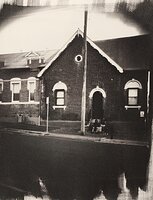
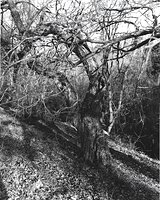
Yes, I know that one can be fooled by apparently thin pyro negs being very printable once you get into the darkroom. I will give it a try. (The pictures are from Visby, Gotland. A medievial town in Sweden, which in summer is one of Swedens major tourist places. They were taken a couple of weeks ago in very gloomy weather, so the light certainly could have been better. I think that I'll go there again in May, hoping for better light. Anyhow, I'll keep you posted about the printing results once I go "dark" for a couple of hours or so.)
But I also wanted to know what kind of chemistry is used and in which way when it's really needed. Which bleach and what developer to use when redeveloping etc. I.e. the works about redeveloping too thin negs.

//Björn
 
If there's nothing on the neg then nothing you do will put it there. But I guess you know that.

Dead Link Removed
 
I have printed a pyro neg (PMK) that looked nearly blank, to good effect. The stain holds much more than you can see. Think of it as an N-4. (Said negative was, of course, in no way my fault in the first place :wink:)
 
Photrio.com contains affiliate links to products. We may receive a commission for purchases made through these links.
To read our full affiliate disclosure statement please click Here.

PHOTRIO PARTNERS EQUALLY FUNDING OUR COMMUNITY:


Ilford ADOX Freestyle Photographic Stearman Press Weldon Color Lab Blue Moon Camera & Machine
Top Bottom
