• Welcome to Photrio!
    Registration is fast and free. Join today to unlock search, see fewer ads, and access all forum features.
    Click here to sign up

TriX 320 & Rodinal help

Recent Classifieds

Forum statistics

Threads
201,747
Messages
2,829,504
Members
100,924
Latest member
hilly
Recent bookmarks
0

Rick-in-LB

Member
Allowing Ads
Joined
Aug 16, 2008
Messages
57
Location
Long Beach C
Format
35mm
I picked up some TriX 320 and shot it at 800 ISO. OK, I use Rodinal and I could not find where it shows developing at 800. On the Kodak site, if I read it correct, it says I don’t have to change the development time. Any advice on this one. I shot 2 rolls and just might experiment. The massive chart says TriX 320 at 320 time is 15m for 120 film so I was going to try 17 minutes to start with. I figure what have I got to lose.
 

drazak

Member
Allowing Ads
Joined
Apr 10, 2008
Messages
65
Location
Buffalo, NY
Format
35mm
That seems like a fairly good guesstimate, however I would ere on the side of underdevelopment, as overdevelopment really does produce hard to print negs!

Ben
 
OP
OP
Rick-in-LB

Rick-in-LB

Member
Allowing Ads
Joined
Aug 16, 2008
Messages
57
Location
Long Beach C
Format
35mm
Maybe you are correct on the time, I will try 16 min and go from there. It can't hurt.
 

2F/2F

Member
Allowing Ads
Joined
Apr 29, 2008
Messages
8,031
Location
Los Angeles,
Format
Multi Format
If 15 minutes is the normal time, and your film is underexposed by 1-1/3 stops, plus a probable 1/3 stop more that can be assumed in many cases due to working EIs not matching box speed, plus maybe another 1/3 stop due to using Rodinal vs. what the manufacturer used in their testing, for a total of two stops, I don't think 17 minutes will be enough time to push contrast to a "normal" level. If your film can even reach +2, it will probably take 150 to 200 percent of the normal developing time, based on my experience with D-76 and HC-110. Rodinal may be different, but I would develop for at least 23 minutes, if I had to make an educated guess.

That is just the general answer. It does all depend on the contrast you want on the neg., however. I said what I said above based on the idea that you just want to develop your film to normal highlight densities without any special processes.

You may decide, for instance, that for the prints you want, or the way you like to print, and if the light at the scene was high in contrast, you would rather work up from a flatter neg. Thus, only push one stop, or even no stops.

You may also decide that to minimize grain, you want to push only one stop, then tone the negative in selenium toner rather than pushing two stops...or push no stops and then tone.

In order to answer the question for yourself, you need to think about the lighting in which you shot, the prints you want, how your Tri-X responds to light, and where your exposure placed all the tones at the scene.

 
Last edited by a moderator:

ghost

Member
Allowing Ads
Joined
Jan 18, 2009
Messages
50
Format
Large Format
You may also decide that to minimize grain, you want to push only one stop, then tone the negative in selenium toner rather than pushing two stops...or push no stops and then tone.

2F-

your comment caught me eye...I forgot about toning negatives. So, in your experience, are you saying you can expect about a 1-stop increase in contrast doing this? Seems like a very useful technique.
 
OP
OP
Rick-in-LB

Rick-in-LB

Member
Allowing Ads
Joined
Aug 16, 2008
Messages
57
Location
Long Beach C
Format
35mm
Well I went for the 23m and temp conv to 25m. They look ok maybe a little light, but I learned something about pushing film. When they dry I will scan them. Tomorrow I will print them at school and play with it some more. We just started using Selenium Toner on Thursday so this will be a good one to work with.
 
OP
OP
Rick-in-LB

Rick-in-LB

Member
Allowing Ads
Joined
Aug 16, 2008
Messages
57
Location
Long Beach C
Format
35mm
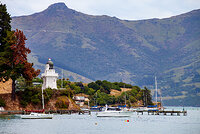
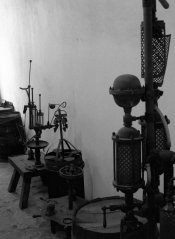
Scanned them and they actually look pretty good. Thanks! Uploaded I hope it works. I know I have to work on them but I am glad they came out
 

Attachments

  • apug-1.jpg
    apug-1.jpg
    85.8 KB · Views: 122
  • apug-2.jpg
    apug-2.jpg
    66.1 KB · Views: 102
  • apug-3.jpg
    apug-3.jpg
    166.7 KB · Views: 123
Last edited by a moderator:

2F/2F

Member
Allowing Ads
Joined
Apr 29, 2008
Messages
8,031
Location
Los Angeles,
Format
Multi Format
2F-

your comment caught me eye...I forgot about toning negatives. So, in your experience, are you saying you can expect about a 1-stop increase in contrast doing this? Seems like a very useful technique.

Hi,

You get about the effect of a +1 over whatever you've developed to. This means, however, that you need some meat there in the first place to have a large effect. You can't push something that has not received enough exposure to push.
 

BobNewYork

Member
Allowing Ads
Joined
Jan 1, 2008
Messages
1,067
Location
Long Island,
Format
Medium Format
Scanned them and they actually look pretty good. Thanks! Uploaded I hope it works. I know I have to work on them but I am glad they came out

Rick - you have a very good eye my friend; and you're going in exactly the right direction to hone your technique. Keep at it.

Bob H
 
Photrio.com contains affiliate links to products. We may receive a commission for purchases made through these links.
To read our full affiliate disclosure statement please click Here.

PHOTRIO PARTNERS EQUALLY FUNDING OUR COMMUNITY:


Ilford ADOX Freestyle Photographic Stearman Press Weldon Color Lab Blue Moon Camera & Machine
Top Bottom