

• Welcome to Photrio!
    Registration is fast and free. Join today to unlock search, see fewer ads, and access all forum features.
    Click here to sign up

Strange effect on emulsion / B&W home development

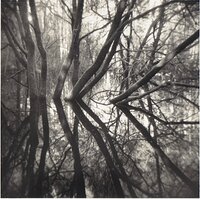
Flooded woodland

Flooded woodland

  • 15
  • 1
  • 96
Babylon

D
Babylon

  • 3
  • 1
  • 85

Recent Classifieds

Forum statistics

Threads
202,841
Messages
2,846,345
Members
101,559
Latest member
gnafin61
Recent bookmarks
0

JPrune

Member
Allowing Ads
Joined
Jun 13, 2022
Messages
13
Location
France
Format
35mm
Hi there !

Thanks for having me on your forum ! I'm new here. I'm learning to shoot and process B&W film on my own and I don't really have anyone to turn to when encountering a problem, so I'd be delighted to turn to a fine community like yours for learning and exchanging with knowledgeable photographers. I've already learnt a fair bit from reading posts here but I've encountered an issue which I couldn't identify and have decided to join and ask for help.

So I have a specific question relating to a recently shot and developed film. There is a strange effect on two adjacent frames of this film. This is HP5+ shot with a OM1, developed in D76 (+stop bath + rapid fixer + wetting agent), scanned with a plustek 8100 scanner (and more than likely a little overdeveloped/overexposed...). I hope it's not an issue to post scans on the Analog Workflow forum ; I haven't been able to print the negatives yet and it seems the issue has more to do with how the film was handled prior to scanning.

Would you happen to know what caused this weird "displacement" in the emulsion within the frames ? Really wouldn't know how to describe it so I've joined two photos of the film as well as the scans of the two frames.

I'd be delighted if anyone was able to identify the issue. Thanks again !

IMG_7443.JPG

Image (194).jpg
Image (195).jpg
IMG_7444.JPG
 
This is weird. I've had dozens of OM and not a single one of them had such issue. Looks like a light leak from the front side, but I'm no expert, so Iet's wait for others to chime in. Oh and for what it's worth, negatives seem to be of proper density.

Welcome to the club, by the way!
 
I just had a quick peek, but isn't it from internal reflections in the camera? You seem to have the sun in (or near) the frame, which gives a lot of light bouncing around inside the camera and finally hitting the film indirectly. The shape suggests light is reflected on, or masked by an edge inside the camera.

You also have density on the film outside the frame, probably from large amounts of light bouncing between the backing plate and the surfaces of the film And possibly also some light piping.

If the sun was just outside the frame a lens hood could have helped. Or you could add some non reflecting material inside the camera if there is room. Or just enjoy the effect...
 
Put the lenscap on, open the shutter with the 'B' setting and then, in front of a bright light, and look into the camera for light leaks.

It could also be reflections from the bottom of the 'mirror box' - take the lens off and again open the shutter and look inside from the back.
 
My thought too; looks like flare from the sun. A lens hood or a hand to shade the lens would fix it.

To the OP: it's important to remember that the image was upside-down inside the camera, so (as @nicholas Linden has said) this is light hitting the bottom of the lens and being reflected upward. This helps to explain why the frame line at the top is there--it was actually the bottom of the mask.
 
Last edited:
This is scattering from the inside of the camera, for sure. The sharp shadow is a baffle behind the scatter point, but the scatter centering around a bright area is characteristic of "bellows flare" as this was called when most cameras had a bellows. A little flat black paint or even black marker will cut this down by a large margin.
 
Thanks to everyone for the quick advice and the nice welcome, very much appreciated !

The shots were definitely taken facing the sun and without a lens cap. It's only my second roll of film with this OM1n and I think I understand that something may cause the light to bounce inside the camera when there is flare. Will check the inside and try to identify what exactly is causing this ! If I cannot find the answer, I might check with a local repair shop or the original seller. Although I would agree that the effect doesn't look so bad... :smile: and only happened in this particular situation. Will also try getting a lens cap for it and checking light seals.

Thanks again for all the answers, really glad to have asked my question here ! Good day to all
 
Will also try getting a lens cap for it and checking light seals.

A lens hood or shade isn't a lens cap. Searching the right thing will help a lot in shopping...
 
You're right ! I did mean lens hood... Thanks for your advice
 
It looks like some type of light leaks as others proffer above. Check out their suggestions.


Welcome to APUG Photrio!!
 
Rest assured - the camera is not supposed to do this. Something is wrong.

With a modern camera and lens you should be able to shoot straight into the sun with no flare.

From your photos it looks like the stray light is coming up at a somewhat steep angle. The shutter runs between two plates - it looks like these cut off the stray light one after the other and this is probably the reason for the double line cutting off the flare at the top of the image (bottom of the camera).
 
Last edited:
Hello again !

Thanks for all the answers. I did not see any light leaks from the front or back although some light did pass through the mirror when firing in bulb mode and shining light through the viewfinder. There also seems to be a few spots of worn off paint at the front and the rear of the bottom of the "mirror box". Not entirely sure but at least I now know for certain there is a small problem with the camera ! Might take it to a repair shop just to make sure though.

Thanks a lot for helping me identify the issue !
 
Hello again !

Thanks for all the answers. I did not see any light leaks from the front or back although some light did pass through the mirror when firing in bulb mode and shining light through the viewfinder. There also seems to be a few spots of worn off paint at the front and the rear of the bottom of the "mirror box". Not entirely sure but at least I now know for certain there is a small problem with the camera ! Might take it to a repair shop just to make sure though.

Thanks a lot for helping me identify the issue !
I was about to suggest that the mirror might not be seating properly, but I guess you are onto it.
 
Welcome to Photrio.
I got my first OM-1 in 1974, so you will understand when I compliment you on your good taste :smile:.
I'll add one further possibility to the mix.
It is a problem with light, but it might also have something to do with the tendency for the ~50 year old OM-1 to have degraded prism light seal foam in the mirror box and elsewhere. That can gum up a few things, including the quick and unimpeded movement of the auto-return mirror.
 
Then I'll definitely check with someone more qualified than me ! It's definitely been a pleasure to use otherwise :smile: :smile:
 
Nothing else to contribute regarding that problem. But you write that your negs are overexposed/developed. I can't say for sure whether or not they are overdeveloped or your scanning software/pp is to blame for the blown highlights, but they are definitely not overexposed! They are on the thin side - if you were aiming to get shadow datail and not silhouettes.
 
The negatives do look a bit over-developed. It is difficult to tell if they are under-exposed or over-exposed, because what appears to be the the subjects are backlit by the sun. Whether or not they are properly exposed depends on what you intended to be your subjects.
And by the way, your presentation of the results is exactly the right way to do it. The scans are no problem, other than they don't tell us much other than to give us a hint about what you were trying to do, but the display of the negatives is exactly what we need in order to try to help.
 
The easy way to see if it's a light leak is to shoot another roll w/ the back firmly taped up at it's seams. Or put the camera in a half case, but I trust a fully taped back more. It does like flare as well, but a lens hood won't help if you have direct sun in the frame.
 
Thanks to the both of you for taking the time to look at the negatives ! As a beginner I sometimes do have trouble assessing the negatives so this is quite helpful ; although I’m also finding that I like deep blacks shadows and silhouettes so in a way it might not be too far off from what I’m looking for in terms of exposure… But I do realize it would be good to have a negative with enough shadow detail and not too much contrast/highlight density to have more margin during printing. And replicate that look by playing with exposure/contrast filters. Will try to develop a little less next time ! Quite thankful for all the advice, it does help very much.

BTW, definitely did not see any light leak other than coming from the viewfinder !
 
Notice the shadow (extra density stops) at image top, which is camera bottom? That's where a light baffle blocked light from the scatter source getting to the film.

The light causing this is scattering from the inside bottom of the camera during exposure (i.e. while the mirror is up), only when there's a bright area at top of frame. Those worn off paint spots are the most likely culprits. Paint over them with flat black model paint (the flatter the better) and you should solve your problem.
 
Ok that makes sense, may try that first. Thanks for the suggestion !!
 
So after over a year I haven't seen the issue again after covering the worn off paint spots, so that was probably the issue !! Belated thanks to everyone for their helpful advice :smile:
 
Thanks for following up on this! I'm sure someone along the way will find your experience here and the ultimately solution very helpful indeed.
 
Photrio.com contains affiliate links to products. We may receive a commission for purchases made through these links.
To read our full affiliate disclosure statement please click Here.

PHOTRIO PARTNERS EQUALLY FUNDING OUR COMMUNITY:


Ilford ADOX Freestyle Photographic Stearman Press Weldon Color Lab Blue Moon Camera & Machine
Top Bottom
