
• Welcome to Photrio!
    Registration is fast and free. Join today to unlock search, see fewer ads, and access all forum features.
    Click here to sign up

"Softening" a section of print?

Recent Classifieds

Forum statistics

Threads
203,112
Messages
2,849,939
Members
101,671
Latest member
MiriTHEJake
Recent bookmarks
0

ged

Member
Allowing Ads
Joined
Jun 18, 2003
Messages
42
Location
Sydney, Aust
Format
35mm
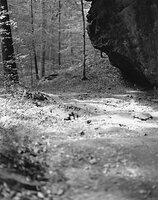
In one of my photos, there is a section of ground in the background that I find distracting since the ground was rough so there a spots of light and dark. I would like to smooth it out so there is less tonal variations in that section.

Can anyone suggest ways of doing this that will not make the picture seem obviously adjusted?


Thanks!
 
If it's close to the edge of the frame, you could just use edge burning.

If you are using VC paper, you could print that section at lower contrast.

I haven't tried this, but you might try dodging that section for part of the exposure, then burning to make up the time with some diffusion material over the lens for the burning exposure. You could vary the strength of the effect by changing the ratio of straight exposure to diffuse exposure.
 
What sort of material can be used as a diffusion mask? What I really want to achieve is to tone-down the darker splotches and tone-up the one white patch in this region to give it an overall more even tone.
 
If I were trying to soften and diffuse as well as darken an area of a bothersome nature I would fashion a diffuse burning tool by taking a piece of mat board, cutting a hole of appropriate size and then stretching a piece of your wife's hosiery across the opening and fastening this in place. Following the initial exposure the second would be a burning through the diffusion of the hosiery.
 
Thanks! That sounds like it would do the trick. I don't have a wife but there should be some hosiery lying around. :smile:
 
I use nylon sometimes, but I prefer using a regular UV filter held under the enlarger lens, smeared with vaseline where you want the diffusion. I find it more effective, easier to control, and simpler to handle. I tend to save the hosiery for when I'm diffusing an entire print. You can see this technique on the two images I just posted in the standard gallery ('Blurs' and 'Fragments'.)
 
Difusion in printing will cause hte dark areas to spill into the white, not the other way. Sometimes it looks good, sometimes it looks wrong.

I keep a 6x6 slide frame with anti-newton glass for darkroom diffusion - it's the best diffuser I've found so far.
 
Yet another technique for diffusion is to use onion-skin paper (used for tracing) in direct contact with the printing paper, though I use it mostly for diffusing the entire print.
 
Oh....nylons and vaseline....ummmmm

Ok I'm back. If I feel a pic is going to be a candidate for diffusion I take 2 shots. One with a diffuser on the lens and the other without. That way when I am in the darkroom I can judge which effect works best. As Ole mentioned if you diffuse when printing darks blead into lights. When done in the camera its the other way around. So I get to choose which effect works best for the subject.
 
Thanks everyone for your hints! I'll try them out and see which works best for me.
 
I use clear acetate as the basis for making diffusion filters. It's tough but thin enough to be easily cut to shape and stuck to a wand for use like a dodging wand.

A quick-drying hairspray like Aqua-Net can be sprayed on to build up the desired amount of diffusion. It isn't messy like vaseline so you can set it down anywhere in your darkroom. If the diffusion is excessive you can quickly rinse off the hairspray in water.
 
Photrio.com contains affiliate links to products. We may receive a commission for purchases made through these links.
To read our full affiliate disclosure statement please click Here.

PHOTRIO PARTNERS EQUALLY FUNDING OUR COMMUNITY:


Ilford ADOX Freestyle Photographic Stearman Press Weldon Color Lab Blue Moon Camera & Machine
Top Bottom
