
• Welcome to Photrio!
    Registration is fast and free. Join today to unlock search, see fewer ads, and access all forum features.
    Click here to sign up

Saunders easel and blurry edges...

Venice

A
Venice

  • 0
  • 0
  • 41
Train

A
Train

  • 4
  • 2
  • 54

Recent Classifieds

Forum statistics

Threads
201,790
Messages
2,830,227
Members
100,950
Latest member
HamelP
Recent bookmarks
0

Photopathe

Member
Allowing Ads
Joined
Dec 9, 2017
Messages
164
Location
Montréal
Format
Medium Format
I have this Saunders 11x14inch 4 blades easel I bought in good condition. It's the only easel I ever had. So this is also the reason for my question, I don't have much experience with this. For print sizes over 11x14 I use fixed frames I made out of masonite. I like to have a clean white border around my images and with the Saunders easel I keep having this problem that some edges are blurry and not clean. It that a common problem with this type of easel or could it be a problem with my specific easel? If so, it there a way of fixing it?
I could send an example picture if it's useful.
Thanks in advance!
 

fiddle

Member
Allowing Ads
Joined
Jul 17, 2009
Messages
374
Location
NYC
Format
Multi Format
I have a saunders 11x14 easel also, although might be a different model, i have clean borders.
are the blades bent? not sitting flat against the paper?
 
OP
OP
Photopathe

Photopathe

Member
Allowing Ads
Joined
Dec 9, 2017
Messages
164
Location
Montréal
Format
Medium Format
Not perfectly flat in some places and with this design it does look like it's difficult to have it perfectly flat around all the edges.
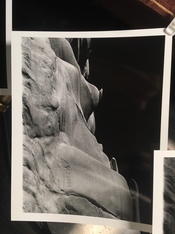
In the attached picture you can see the bottom edge is not clean.
 

Attachments

  • IMG_0646.jpeg
    IMG_0646.jpeg
    67.8 KB · Views: 135
  • IMG_0648.jpeg
    IMG_0648.jpeg
    122.6 KB · Views: 138

Steve Goldstein

Subscriber
Joined
Jul 8, 2007
Messages
1,816
Location
Northeastern US
Format
Multi Format
My Saunders Slim-Trak is mostly OK but one corner doesn't give perfectly sharp edges. I don't want to mess with the blades so I put a small magnet over the blades in the offending corner, which holds them more tightly against the base and sharpens up the edge. The only problem is remembering to remove the magnet before raising the frame.

This isn't actually a problem as I always trim my prints before mounting, but it satisfies my inner obsessive-compulsive.
 

koraks

Moderator
Moderator
Joined
Nov 29, 2018
Messages
26,858
Location
Europe
Format
Multi Format
In the attached picture you can see the bottom edge is not clean.

I don't see how that's possible with the easel you've shown. Even working wide open the edge should have been sharper. What kind of enlarger are you using and does it have built-in masking blades? My Durst 138 does and sometimes if I mask too aggressively (esp. larger format negatives) the blades will cut the frame. It'll look exactly like this when it happens.

Conversely, I've printed with really poor frames whose blades wouldn't touch the paper by a long shot and the edges are still sharp.

Given the fuzziness, I think it's pretty far away from either the paper or the negative plane.
 
OP
OP
Photopathe

Photopathe

Member
Allowing Ads
Joined
Dec 9, 2017
Messages
164
Location
Montréal
Format
Medium Format
The prints I showed is 8x10. I use a Beseler enlarger. No buit-in masking blades. I use the 4x5 glass negative carrier with a piece of clean cut thick black cardboard to mask to the 6x7 negative size. The image is projected way over the easel blades so I can't imagine the enlarger being responsable. Also, to exclude this possibility I only turned the easel around 180 degrees and printed again. The blurry edge was not at the same place anymore.
 

Pieter12

Member
Allowing Ads
Joined
Aug 20, 2017
Messages
8,179
Location
Magrathean's computer
Format
Super8
First, I assume your image is projected so a bit of it overlaps the blades and is not inside the open area. Are you placing the top edge of the paper in the corresponding slot to hold it in place? And have you checked there are no obstructions either under the blades or in the closing mechanism? The blades should sit flush with the paper. I have never had any problem with blurry edges.
 

ic-racer

Member
Joined
Feb 25, 2007
Messages
16,728
Location
USA
Format
Multi Format
In your case the projected image did not reach the easel blade and therefore the easel blade could not cast a sharp shadow.


The way I align the image is to:

#1) first make sure the projected image is larger then the settings on the easel.

#2) Then observe the top and left side and align the blades perfectly to the projected image. At this point the image overlap will be dimly eveident on the right and lower blades (if not then #1 above is not true. ) I look for an overlap about 1cm to 2cm at this stage. Adjust enlarger height if needed.

#3) Finally shift the easel up and to the left about 5mm to 10mm to divide the overlap evenly between the right/lower and left/upper. There should then be an even overlap of projection onto the blades for the whole image.

Beseler easels came with a white sticker to apply to the blades to make this easier.
 

mshchem

Subscriber
Allowing Ads
Joined
Nov 26, 2007
Messages
16,000
Location
Iowa City, Iowa USA
Format
Medium Format
Ok I'll try again next printing session and report back. There must be something I did wrong. I'll put some white masking take on the blades to make it easier.

I think this is a good idea. I have had a similar problem when I didn't quite get the image to overlap the easel blades.
 

MattKing

Moderator
Moderator
Joined
Apr 24, 2005
Messages
55,156
Location
Delta, BC Canada
Format
Medium Format

MTGseattle

Subscriber
Allowing Ads
Joined
Dec 8, 2013
Messages
1,491
Location
Seattle
Format
Multi Format
For sure. That's the main reason I place a paper or something white into the easel for focusing, it's much easier for me to see if I goofed the alignment that way vs. on the yellow metal.
 

Pieter12

Member
Allowing Ads
Joined
Aug 20, 2017
Messages
8,179
Location
Magrathean's computer
Format
Super8
I usually take a small piece of white card, move it around to make sure the corners overlap the blades. Especially after I may have tweaked the easel to line up the horizon or strong verticals.
 

snusmumriken

Subscriber
Allowing Ads
Joined
Jul 22, 2021
Messages
2,774
Location
Salisbury, UK
Format
35mm
I bought a s/h two-blade easel (not Saunders) whose blades were straight but didn’t lay perfectly flat. I had a powerful magnet from an old loudspeaker kicking around, so I added that at the point where the blades intersect - the magnetism clamps everything down to the metal baseboard, very firmly. I glued some thin card on the bottom of the magnet first, to make sure it was easy to slide off again. I slide the magnet off before raising the frame, to be sure the resistance doesn’t bend the arms. This has worked well for several years now.
 

Mal Paso

Member
Allowing Ads
Joined
Oct 14, 2019
Messages
382
Location
Carmel, Ca USA
Format
4x5 Format
I've had this easel over 50 years and it's really hard to see the image on black blades. Run a piece of white paper around the border to make sure the image overlaps the blades.
 

cowanw

Member
Allowing Ads
Joined
Aug 29, 2006
Messages
2,305
Location
Hamilton, On
Format
Large Format
Since the design of these easels have one blade riding over top of another blade at each intersection, I have always wonder how we can expect the edges to be equally sharp all around anyway.
 

Mal Paso

Member
Allowing Ads
Joined
Oct 14, 2019
Messages
382
Location
Carmel, Ca USA
Format
4x5 Format
Since the design of these easels have one blade riding over top of another blade at each intersection, I have always wonder how we can expect the edges to be equally sharp all around anyway.
Because the illumination is nearly point source and the blades are thin. How sharp is a shadow in direct sunlight?
 

Pieter12

Member
Allowing Ads
Joined
Aug 20, 2017
Messages
8,179
Location
Magrathean's computer
Format
Super8
Since the design of these easels have one blade riding over top of another blade at each intersection, I have always wonder how we can expect the edges to be equally sharp all around anyway.

Just about all thee 4-blade easels I have used are designed that way, and all the edges are sharp on my prints unless I screw up and don't overlap the projected image onto the blades. So I don't think that is a problem.
 

Patrick Robert James

Member
Allowing Ads
Joined
Jul 31, 2012
Messages
3,417
Format
35mm RF
What you are seeing is the diffraction of the edge of the negative carrier. In other words, you didn't make the image large enough or the blades small enough to cover that. It looks like it is good but if you cut it close you really can't see it.

I don't know how many times I've done that myself and didn't notice it until the next day. Maddening. I prefer full frame carriers and glass negative carriers because of it. If you can see the rebate around the neg then there is no confusion. I make the mistake most when printing 4x5 because it isn't a full frame carrier with my Saunders so the fuzzy edges have to be accounted for.
 
OP
OP
Photopathe

Photopathe

Member
Allowing Ads
Joined
Dec 9, 2017
Messages
164
Location
Montréal
Format
Medium Format
Final update: it was entirely my fault. I overestimated my eyes under the dim safelights. I followed the advice above and placed white tape around on the blades. Now I easily frame and confidently see the overlap on the blades that always make a clean edge on the print. Thanks all!
 

MattKing

Moderator
Moderator
Joined
Apr 24, 2005
Messages
55,156
Location
Delta, BC Canada
Format
Medium Format
I'm glad we could be helpful!
And I should go and renew the tape on the blades on mine!
 
Photrio.com contains affiliate links to products. We may receive a commission for purchases made through these links.
To read our full affiliate disclosure statement please click Here.

PHOTRIO PARTNERS EQUALLY FUNDING OUR COMMUNITY:


Ilford ADOX Freestyle Photographic Stearman Press Weldon Color Lab Blue Moon Camera & Machine
Top Bottom