- Joined
- Jan 14, 2007
- Messages
- 25
- Format
- Multi Format
I learned to make palladium prints using digital negatives printed with a QTR driver at a workshop held by Kerik Kouklis.
Now doing it at home (with a different printer) I seem to have mastered the calibration part. In other words printing step wedges, scanning
and then determining the correct QTR printer profile, but am now experiencing problems when making an actual digital negative.
My Epson r2400 doesn't seem to recognize the thin Pictorico sheet using the top feed, so I am using the front feed with the Pictorico taped to
a piece of cardboard. The feed part seems to work but the digital negative print has "issues".
Once the digital negative print approaches about .75 inches from the end of the print, I get a black band. The dark band of course prints light
on the palladium print.
I tried making another digital negative and the same thing happens. The actual dimensions of the band are slightly different on the second neg but it again happens
right near the end of the digital negative print.
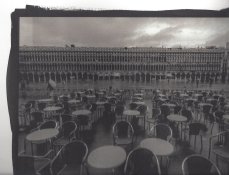
I will try and attach a scan of the palladium print which shows the light band.
can anyone tell me what is going on and how I might be able to fix this problem
thanks for your help
Frank
Now doing it at home (with a different printer) I seem to have mastered the calibration part. In other words printing step wedges, scanning
and then determining the correct QTR printer profile, but am now experiencing problems when making an actual digital negative.
My Epson r2400 doesn't seem to recognize the thin Pictorico sheet using the top feed, so I am using the front feed with the Pictorico taped to
a piece of cardboard. The feed part seems to work but the digital negative print has "issues".
Once the digital negative print approaches about .75 inches from the end of the print, I get a black band. The dark band of course prints light
on the palladium print.
I tried making another digital negative and the same thing happens. The actual dimensions of the band are slightly different on the second neg but it again happens
right near the end of the digital negative print.
I will try and attach a scan of the palladium print which shows the light band.
can anyone tell me what is going on and how I might be able to fix this problem
thanks for your help
Frank