I've tried to follow instructions to meassure personal film speed (found on apug) and unexpectedly run into several problems. Some of them are beyond reach of my knowledge so I'd like to ask wise men and women here if they have any idea what is going on.
I've attached negative scans (scanned as positives, they are not inverted).
The test have been done with Kodak 400TX 120 films loaded in Mamiya RB67 SD with 127/3.5 KL lens. Films have been developed in fresh Xtol (stock made with distilled water), dilluted 1+2 with tap water (no problems after processing few hundred negatives) with 30 and 1 minute initial agitation (tried both to prevent effect of water bubbles) and 4 inversions every 1 minute for total of 10:30-12 minutes.
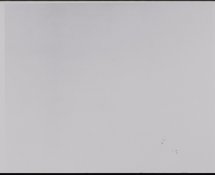
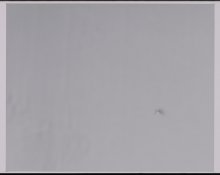
In first and second attachment (400TXTest0102.jpg and 400TXTest0202.jpg) you may find dark artifacts in lower right part. Both test shots are the second frames from film of same batch. Other five films from the batch are ok.
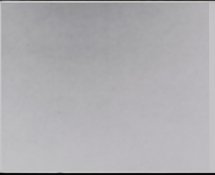
In the third attachment (400TXTest0101.jpg) you may find strange diagonal pattern which is a complete mystery to me. The lens have been focused to infinity (although set to f/22 1/2). Subject was cloth but with horizontal thread lines not diagonal. It's not either grain aliasing with scan as it's visible on negative and contact print as well. I've made mistake when taking this photo and forgot to change exposure from T to 1s and the film has been exposed to above 2 seconds and maybe I've moved the camera a little when turning off the shutter, but I doubt this could cause the pattern.
I should note that I've developed FP4+ 120 film in same developer batch as well some Arista Premium 400 135 film and have not seen this kind of problems.
Could be it's bad film batch or the film has been xrayed?
I've attached negative scans (scanned as positives, they are not inverted).
The test have been done with Kodak 400TX 120 films loaded in Mamiya RB67 SD with 127/3.5 KL lens. Films have been developed in fresh Xtol (stock made with distilled water), dilluted 1+2 with tap water (no problems after processing few hundred negatives) with 30 and 1 minute initial agitation (tried both to prevent effect of water bubbles) and 4 inversions every 1 minute for total of 10:30-12 minutes.
In first and second attachment (400TXTest0102.jpg and 400TXTest0202.jpg) you may find dark artifacts in lower right part. Both test shots are the second frames from film of same batch. Other five films from the batch are ok.
In the third attachment (400TXTest0101.jpg) you may find strange diagonal pattern which is a complete mystery to me. The lens have been focused to infinity (although set to f/22 1/2). Subject was cloth but with horizontal thread lines not diagonal. It's not either grain aliasing with scan as it's visible on negative and contact print as well. I've made mistake when taking this photo and forgot to change exposure from T to 1s and the film has been exposed to above 2 seconds and maybe I've moved the camera a little when turning off the shutter, but I doubt this could cause the pattern.
I should note that I've developed FP4+ 120 film in same developer batch as well some Arista Premium 400 135 film and have not seen this kind of problems.
Could be it's bad film batch or the film has been xrayed?