

• Welcome to Photrio!
    Registration is fast and free. Join today to unlock search, see fewer ads, and access all forum features.
    Click here to sign up

Nikon F Photomic Focusing Screen Stuck

Tractor & Tulips

A
Tractor & Tulips

  • 1
  • 1
  • 34
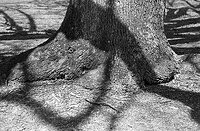
Tree with Big Shadows

Tree with Big Shadows

  • 3
  • 0
  • 82

Forum statistics

Threads
203,458
Messages
2,855,079
Members
101,853
Latest member
DJFOX
Recent bookmarks
0

Mr_OwL

Member
Allowing Ads
Joined
Feb 13, 2021
Messages
10
Location
Los Angeles
Format
35mm
Hi
I recently purchased a Nikon F Photomic and it appears that the focusing screen is upside down and stuck. Any ideas to get it unstuck.
Thanks
 
Take the lens off and push from underneath on the wind on side. Should come out easy. If stuck and upside down it may be jammed in. Still try to push up very gingerly. Not sure what else you can do. Domed clear glass should be above the frosted glass.
 
The release button can be pretty stiff. When you press it do you see the lever in the front of the camera just over the screen moving?
 
Didn't realise the head was still on.
There's a silver button on the back of the camera, push that and it should release the view finder head.
May require a little force if it hasn't been used for awhile.
 
What lever?
Push the VF release button on the back of the camera. Really firmly. This also retracts the two little pins at the left side that hold the focusing screen in place. If you can press hard enough to get the pins to retract all the way, the screen should fall out when you turn the camera body upside down.

Edit: what Awty said....
 
The pins on the left do retract. When I hold it upside down nothing happens.
 
Push the VF release button on the back of the camera. Really firmly. This also retracts the two little pins at the left side that hold the focusing screen in place. If you can press hard enough to get the pins to retract all the way, the screen should fall out when you turn the camera body upside down.

Edit: what Awty said....
Much easier to find than the F4.
 
See those two little angled cutouts in the screen's metal frame? The two retracting pins fit in there. So the words "Nikon F" go toward the front of the camera with the cutouts on the left (rewind) side. Just drop the screen in and press the VF release button and it should drop into place.
 
Photrio.com contains affiliate links to products. We may receive a commission for purchases made through these links.
To read our full affiliate disclosure statement please click Here.

PHOTRIO PARTNERS EQUALLY FUNDING OUR COMMUNITY:


Ilford ADOX Freestyle Photographic Stearman Press Weldon Color Lab Blue Moon Camera & Machine
Top Bottom
