• Welcome to Photrio!
    Registration is fast and free. Join today to unlock search, see fewer ads, and access all forum features.
    Click here to sign up

Lucky C200 vs Kodak Gold 200 in 120 side-by-side comparison

Forum statistics

Threads
201,613
Messages
2,827,203
Members
100,850
Latest member
timpanic
Recent bookmarks
0
Joined
Jul 8, 2025
Messages
2
Location
New York
Format
Medium Format
Hey everyone,

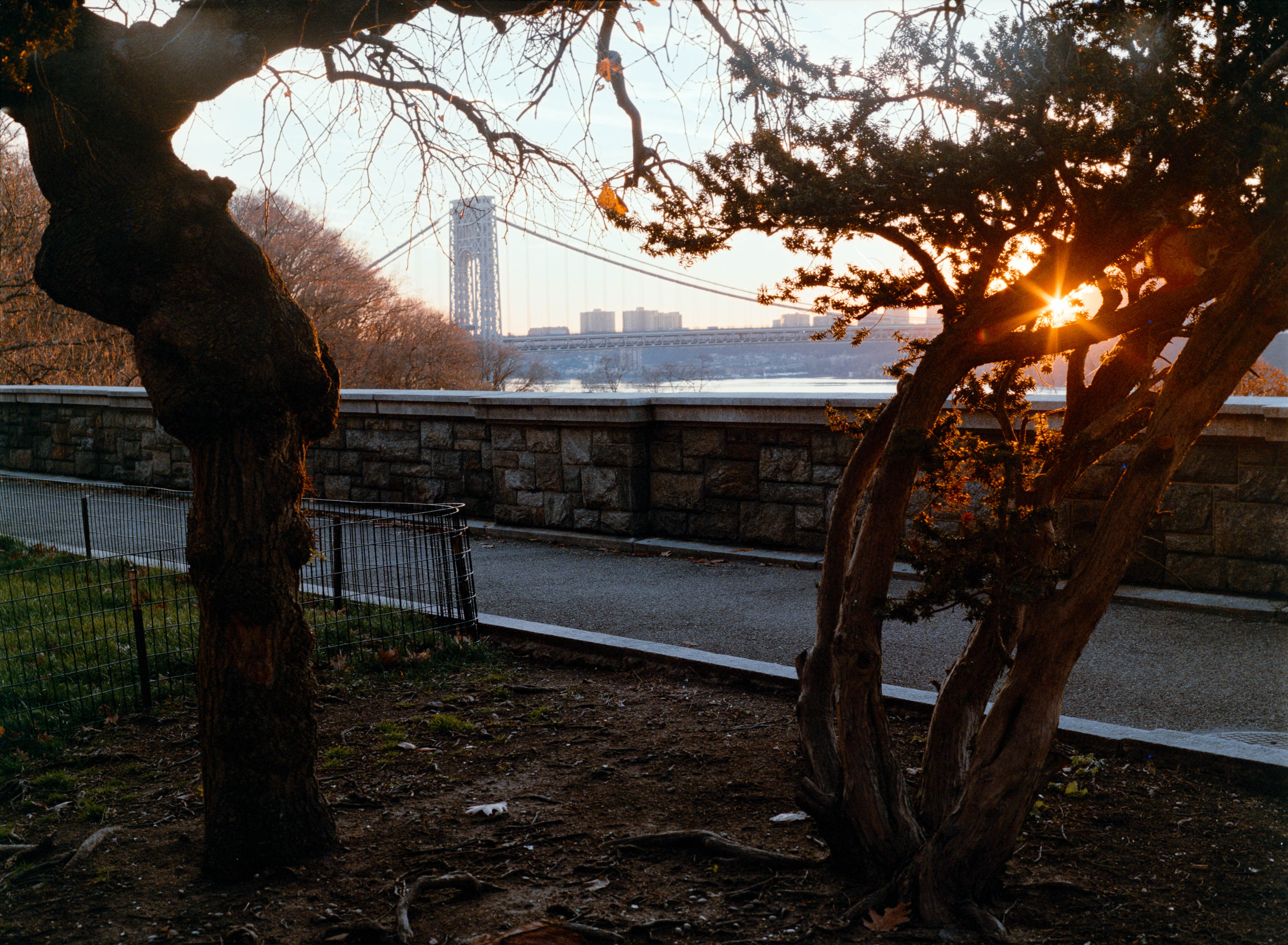
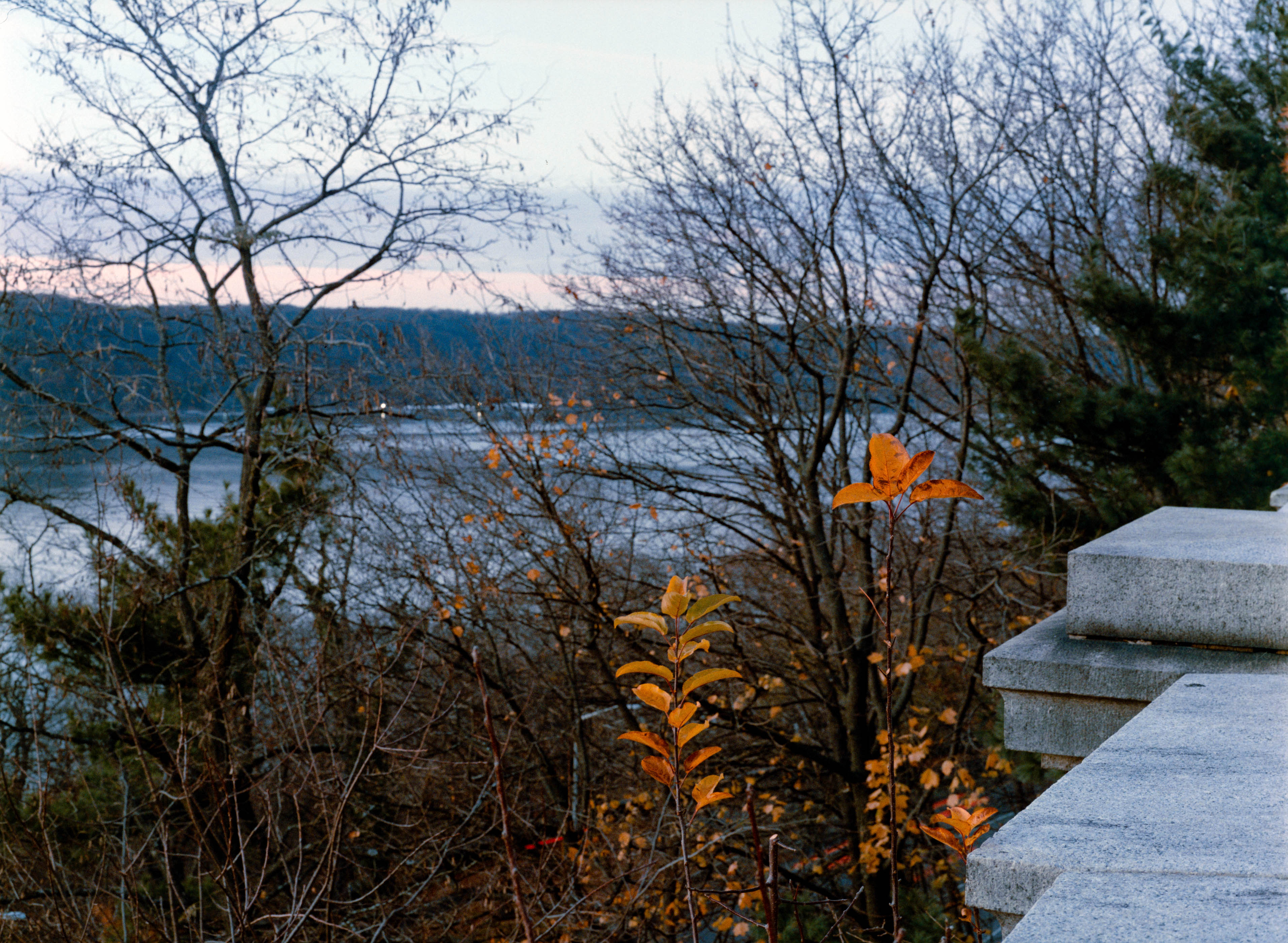
I recently ran a side-by-side comparison of Lucky C200 vs Kodak Gold 200, both shot in 645, and thought the results might be of interest here.

Most comparisons I’ve seen so far have been in 35mm, but since Lucky recently showed up in 120, I was curious how it would stack up against Gold in a larger format.

I shot everything on my Mamiya 645 Pro using interchangeable backs, so the compositions were identical, bracketed exposures, and developed both rolls together in the same tank. Scans were done with the same setup, with small brightness and WB tweaks to get things into a reasonable place.

Some things that stood out to me:
  • Gold felt more neutral and forgiving in highlights
  • Lucky was punchier with more contrast and a noticeable red/cyan split in certain lighting
  • In lower-contrast scenes, Lucky’s character actually worked really well
  • Highlight color response differed more than I expected
I also put together a video walking through the comparisons image by image, if anyone’s interested:


And I’ve attached a few representative frames from each film below, with Gold on the left and Lucky on the right.

Curious to hear if others have been shooting Lucky C200 in medium format, and what your impressions have been so far.

Gold
Lucky


Gold
Lucky


Gold
Lucky
 

koraks

Moderator
Moderator
Joined
Nov 29, 2018
Messages
26,588
Location
Europe
Format
Multi Format
Welcome to Photrio! I'm very please to see someone join us who actually makes such comparison videos so we can interact with you here directly - welcome aboard!

There's one suggestion I'd like to make when comparing color films: please include scans of multiple frames digitized side by side in the same scan/camera capture. Preferably make available these images in unedited form (so as a negative), and when editing, please apply the same curve (etc.) adjustments to the entire image, so of both negatives. Yes, that will mess up either or both of the images, but it's the only really convincing way to show the real difference between films. Of course, this still doesn't control for possible differences in exposure, processing etc., which can be controlled for by other means.

Also, I understand that the practical relevance of such a direct comparison might be limited to some; after all, for the final image, you would typically edit/print the negatives to account for their unique characteristic towards the desired end result. So a scenario where you do the exact same conversion and finishing process regardless of the nature of the negative is not what you'd typically do for a real-world image. At the same time, we all too often see/read conclusions like "X is warmer/more magenta/more crossed over etc. than Y." All too often, such conclusions are difficult to isolate from potential (and all too often, demonstrable) differences in processing choices made underway. The issue is very simple to deal with by making a couple of real side-by-side comparisons, which I find virtually always tell an interesting story and allow for more solid/compelling conclusions.

Thanks again for posting your video and I hope to see much of your work on Photrio!
 

ChrisGalway

Subscriber
Allowing Ads
Joined
Feb 24, 2022
Messages
546
Location
Ireland
Format
Medium Format
Thanks for posting. I've got a couple of rolls of Lucky 200 in 120 size on their way to me so look forward to shooting them. It seems it is a reasonable alternative to more established films, and not "odd" like Phoenix (I or II).
 
OP
OP
nograin_nogain
Joined
Jul 8, 2025
Messages
2
Location
New York
Format
Medium Format
Welcome to Photrio! I'm very please to see someone join us who actually makes such comparison videos so we can interact with you here directly - welcome aboard!

There's one suggestion I'd like to make when comparing color films: please include scans of multiple frames digitized side by side in the same scan/camera capture. Preferably make available these images in unedited form (so as a negative), and when editing, please apply the same curve (etc.) adjustments to the entire image, so of both negatives. Yes, that will mess up either or both of the images, but it's the only really convincing way to show the real difference between films. Of course, this still doesn't control for possible differences in exposure, processing etc., which can be controlled for by other means.

Also, I understand that the practical relevance of such a direct comparison might be limited to some; after all, for the final image, you would typically edit/print the negatives to account for their unique characteristic towards the desired end result. So a scenario where you do the exact same conversion and finishing process regardless of the nature of the negative is not what you'd typically do for a real-world image. At the same time, we all too often see/read conclusions like "X is warmer/more magenta/more crossed over etc. than Y." All too often, such conclusions are difficult to isolate from potential (and all too often, demonstrable) differences in processing choices made underway. The issue is very simple to deal with by making a couple of real side-by-side comparisons, which I find virtually always tell an interesting story and allow for more solid/compelling conclusions.

Thanks again for posting your video and I hope to see much of your work on Photrio!

Thanks so much for the warm welcome and the thoughtful feedback, I really appreciate it.

Based on the points you raised, I’ve made available the raw, uninverted scans of the same frames I included above. They’re shared as-is, without per-frame adjustments, so anyone interested is welcome to download them and examine the differences directly.

I did need to downscale the scans from roughly 100MP to about 45MP to keep file sizes manageable, but otherwise no edits were applied. Hopefully they still give a useful view into the films’ characteristics.

Link:
https://drive.google.com/drive/folders/1wC6dhilGhne3VMP5T6U7h_J9gzDS9MKD

I’m still fairly new to posting here, and this kind of feedback is exactly why I wanted to share the comparison on Photrio in the first place. I’m very open to observations or corrections, and I’m looking forward to contributing more work going forward.
 

loccdor

Member
Joined
Jan 12, 2024
Messages
2,529
Location
USA
Format
Multi Format
I prefer the right shot every time. Never been a huge fan of Kodak's budget color film, so it's not surprising. I'd sooner shoot black & white. Thank you for the comparison.
 

koraks

Moderator
Moderator
Joined
Nov 29, 2018
Messages
26,588
Location
Europe
Format
Multi Format
, I’ve made available the raw, uninverted scans of the same frames I included above.
Thanks; I really appreciate it. And I hate to sound like a negative Nancy, but the scans do exhibit what I see as a substantial problem when it comes to comparing color negative film using scans: they're to a large extent normalized, with the white point in the scan set to (approximately) the base color of the negative film. This brings two problems:
(1) the behavior at the toe of the film (i.e. the deepest shadows that blend into film base) cannot be studied well since some of that data is lopped off of the histogram.
(2) no 1:1 comparison can be made because of the adjustments to the color balance at the level of the scan. So this always underlies whatever inversion and color balancing follows next, and it's never entirely clear whether you're looking at the behavior of the film and the curves of the separate color layers, or an adjustment of the scan.
I do not know for sure, but suspect that the contrast of the scans is also different; I base this on the much higher apparently density of the sky area.

The 'proper' (in my view) way of scanning for this purpose would be as I indicated in #2:
digitized side by side in the same scan/camera capture

Again, my apologies for being so critical of your diligent work.
 

brbo

Member
Joined
Dec 28, 2011
Messages
2,357
Location
EU
Format
Multi Format
While we appreciate the effort, I agree with @koraks. In the future try doing something like this - full resolution linear side-by-side scan (apply a 2.2 gamma and you get pretty much what you would see on a light table).

I know that it might be harder to do that with camera scanning if you don't have large enough light source, but meaningfull side-by-side comaprison can be accomplished with just a bit of fiddling with camera settings like turning off auto-exposure, auto WB... which are a "no no" in camera scanning anyway if you want to have any consistency in your process.
 
Photrio.com contains affiliate links to products. We may receive a commission for purchases made through these links.
To read our full affiliate disclosure statement please click Here.

PHOTRIO PARTNERS EQUALLY FUNDING OUR COMMUNITY:


Ilford ADOX Freestyle Photographic Stearman Press Weldon Color Lab Blue Moon Camera & Machine
Top Bottom