

• Welcome to Photrio!
    Registration is fast and free. Join today to unlock search, see fewer ads, and access all forum features.
    Click here to sign up

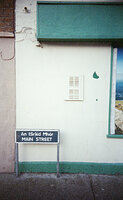
Low contrast surprise from sunny scene.

An tSráid Mhór

A
An tSráid Mhór

  • 0
  • 0
  • 27
IMG_1285.jpeg

D
IMG_1285.jpeg

  • 0
  • 0
  • 30

Forum statistics

Threads
203,124
Messages
2,850,185
Members
101,689
Latest member
Sagittarius
Recent bookmarks
0

jon koss

Member
Allowing Ads
Joined
Sep 4, 2004
Messages
748
Location
Boston, MA
Format
35mm
Here's a weird one from last night in the darkroom. I decided to print a photo of a nephew standing in front of a shingled seaside shed. He was grinning and holding a net "American Gothic" style, to give you the idea. The seaside sun was shining across at just the right angle so l knew I had a bright and cheerful portrait in the making. Well, the lad is a brown as a berry and the shed was of course silvery grey - you can guess the rest of the story. The black and white print is, in a word, grey and grey. The boy's skin has exactly the same value as the shed. Even his blue shirt fell on the same value! The only things that keep the print from looking like a washed-out gray card are his teeth and black hair. I would not have thought it possible to make such a flat print from a sunny scene.

Tonight I will go back in and burn the shed with a vengeance, to see if I can get the subject to pop out of the background. I may also try to print on hard paper so that the all the fleshtones come up and I can burn the shed a bit less.

j
 
You have not given us sufficient data to help analyze the problem. Camera, film, meter, development and printing techniques?

However, I might hazard a guess that you probably used an in-camera meter or an averaging reflection meter. Either can give a scene as you described a definite flat exposure depending on several other factors such as the color rendition of details. A yellow filter will help, and giving a stop less exposure and increasing the development will increase contrast. Good luck….
 
Sunlit does not necessarily equate with high contrast. If all aspects of the scene are lit then it could easily be as low contrast as a shaded scene.
 
jon koss said:
Tonight I will go back in and burn the shed with a vengeance, to see if I can get the subject to pop out of the background...


We've all been disappointed by flat contrast at some time or other, but there's no need to resort to arson. :wink:
 
Donald Miller said:
Sunlit does not necessarily equate with high contrast. If all aspects of the scene are lit then it could easily be as low contrast as a shaded scene.

This is quite true! Here in the Southwest the average scene at mid day has 2 to 3 stops of contrast. In the situitation you described you can use a light green filter to lighten the skin tones. I usually increase development by 10 to 20 percent to increase contrast.
 
Paul Howell said:
This is quite true! Here in the Southwest the average scene at mid day has 2 to 3 stops of contrast. In the situitation you described you can use a light green filter to lighten the skin tones. I usually increase development by 10 to 20 percent to increase contrast.

Thanks for the tip on the green filter. I must confess that I never would have thought of a filter, especially green, even after the problem. I am indebted. Too late for this series, so I will keep it in mind for the future.

j
 
Jon, one other thing to keep in mind is that your in-camera meter can actually help in this situation. Get close enough to shoot the full background, then place the subject in front and meter just the subject, same exposure? If so, look for another background, lighting or subject. With the darker skin tones you have described, try several filters. The green may or may not give sufficient separation of brown tones with this skin and sun.

This happens a surprising amount with objects against a clear blue sky here in the southwest. Ev of the sky can be about 14 1/3 without clouds, so can an object against the sky. While we see color as a division between values, the film may not! Filters are the best thing to change easily. tim
P.S. Sheet film really helps in this situation.
 
jon koss said:
Too late for this series, so I will keep it in mind for the future.

j

Why don;y you selenium tone your negative. 1:1 or straight selenoum for 5-7 minutes should pop the highlights failry nicely. I find that selenium can do wonders for a problem (flat) negative.

Give it a try, you have nothing to lose.

Mike
 
Photrio.com contains affiliate links to products. We may receive a commission for purchases made through these links.
To read our full affiliate disclosure statement please click Here.

PHOTRIO PARTNERS EQUALLY FUNDING OUR COMMUNITY:


Ilford ADOX Freestyle Photographic Stearman Press Weldon Color Lab Blue Moon Camera & Machine
Top Bottom
