
• Welcome to Photrio!
    Registration is fast and free. Join today to unlock search, see fewer ads, and access all forum features.
    Click here to sign up

How to print slightly wider than the frame?

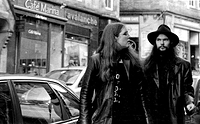
Coburg Street

A
Coburg Street

  • 0
  • 1
  • 39
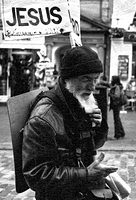
Jesus

A
Jesus

  • 0
  • 1
  • 41

Recent Classifieds

Forum statistics

Threads
201,731
Messages
2,829,298
Members
100,918
Latest member
PentaconSix
Recent bookmarks
0

Lanthanum

Member
Allowing Ads
Joined
Jun 27, 2014
Messages
54
Location
Australia
Format
35mm RF
Hello All

How do I print slightly wider than the frame? I want to print black edges to show the full frame of my negative. I am printing 35mm with a Durst M707 Color enlarger. Is there a part I should buy or some trick to it?

Thanks for any help!
 

Steve Smith

Member
Allowing Ads
Joined
May 3, 2006
Messages
9,110
Location
Ryde, Isle o
Format
Medium Format
You need to buy a file!


Steve.
 

pdeeh

Member
Allowing Ads
Joined
Jun 8, 2012
Messages
4,770
Location
UK
Format
Multi Format
A lever-arch file, or will any old three-ring binder do?
 

howardpan

Member
Allowing Ads
Joined
Sep 18, 2014
Messages
258
Location
Taipei
Format
Medium Format
If you want straight edge black borders, I think you can use a glass negative holder of a larger size (6x6 or 4x5). If you want irregular edges, you would need to take an existing 35mm negative holder and file away its borders so that the full frame is exposed.
 

tedr1

Member
Allowing Ads
Joined
Feb 3, 2016
Messages
940
Location
50 miles from NYC USA
Format
Multi Format
Negative masks that do this were made for some enlargers, some were named "full frame" masks. Search the Durst literature for references to optional negative masks.
 

Sirius Glass

Subscriber
Joined
Jan 18, 2007
Messages
50,814
Location
Southern California
Format
Multi Format
Get a large glass negative carrier like a 4"X5".
 
OP
OP

Lanthanum

Member
Allowing Ads
Joined
Jun 27, 2014
Messages
54
Location
Australia
Format
35mm RF
Thanks for your suggestions everyone. I had another look at the negative carrier for my enlarger and it has adjustable masks as well as the fixed ones. I think the adjustable ones are intended to be used with the fixed masks to fine tune the area? What I notice is that they leave a slightly fuzzy border, not crisp. Am I correct that the adjustable masks are for fine tuning? What about the fuzzy borders?

I was thinking to put larger fixed masks in then use the adjustable masks to shrink the area down to just larger than 24x36mm. Are there any problems with this approach?
 

MattKing

Moderator
Moderator
Allowing Ads
Joined
Apr 24, 2005
Messages
55,110
Location
Delta, BC Canada
Format
Medium Format
Am I correct that the adjustable masks are for fine tuning?
More likely they are there to mask the light source, to help minimize flare.
 

Hilo

Subscriber
Allowing Ads
Joined
Apr 19, 2011
Messages
922
Format
35mm
If you can project the negative plus the borders, then you can use an easel to mask to as narrow you want the borders to be. In that way the outside of your border will not be fuzzy but straight.
 
OP
OP

Lanthanum

Member
Allowing Ads
Joined
Jun 27, 2014
Messages
54
Location
Australia
Format
35mm RF
If you can project the negative plus the borders, then you can use an easel to mask to as narrow you want the borders to be. In that way the outside of your border will not be fuzzy but straight.

Of course! I have been using a fixed easel for 8x10, but I have 3 or 4 other easels in a cupboard, thanks :smile:
 

Hilo

Subscriber
Allowing Ads
Joined
Apr 19, 2011
Messages
922
Format
35mm
Good !

For some enlargers the file suggestion also makes sense. I use Focomat 1c and Valoy II, which have a beautiful negative holder that gives a quite narrow border which is somewhat fuzzy on the outside. Sometimes I use that, but when I want the cleaner straight borders, then I use another filed out negative holder and the easel . . . I have never managed to file out a negative holder with a perfect result, so I just file out a little more, I do not worry how it looks and use the easel as described before.
 

jvo

Subscriber
Joined
Dec 6, 2008
Messages
1,782
Location
left coast of east coast
Format
Digital
i print the negative, full frame, then put an centered opaque mask over the image/exposed paper that left a narrow exposed border on each side; then removed the negative and briefly flashed the exposed paper. develop as usual. the size of the paper i used was dependent on the dimensions you want for your completed print.
 
Last edited:
  • jvo
  • jvo
  • Deleted
  • Reason: dupe

Hilo

Subscriber
Allowing Ads
Joined
Apr 19, 2011
Messages
922
Format
35mm
what kind of enlarger do you have ?

Not sure who you are addressing: the original poster uses Durst M707 Color . . .

I use Leitz Focomat 1c and Leitz Valoy II, and in my previous post I write about their negative holder (the same). I also use the Leitz Focomat 2c and the Durst L1000, which both have negative holders with glass, and that leads to using the easels . . .

I almost always print the full negative, sometimes with and sometimes without the black borders. Depends on the image
 

removed account4

Subscriber
Allowing Ads
Joined
Jun 21, 2003
Messages
29,832
Format
Hybrid
thanks hilo !
i didn't see what enlarger the OP was using
and i agree 100 % with your suggestion :smile:
 
Photrio.com contains affiliate links to products. We may receive a commission for purchases made through these links.
To read our full affiliate disclosure statement please click Here.

PHOTRIO PARTNERS EQUALLY FUNDING OUR COMMUNITY:


Ilford ADOX Freestyle Photographic Stearman Press Weldon Color Lab Blue Moon Camera & Machine
Top Bottom
