• Welcome to Photrio!
    Registration is fast and free. Join today to unlock search, see fewer ads, and access all forum features.
    Click here to sign up

How to lower contrast?

Recent Classifieds

Forum statistics

Threads
202,029
Messages
2,834,062
Members
101,079
Latest member
Yorkshire Amateur
Recent bookmarks
0

RattyMouse

Member
Allowing Ads
Joined
Oct 18, 2011
Messages
6,045
Location
Ann Arbor, Mi
Format
Multi Format
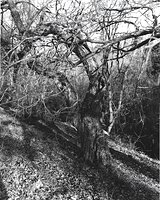
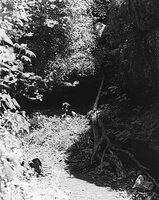
I'm finding that my camera, a Fuji GA645 produces images that are VERY contrasty. Regarding B & W film, what development methods can I use to reduce contrast by 10% or so? I need more light in those shadows.

Thanks!
 

adelorenzo

Member
Allowing Ads
Joined
Mar 10, 2012
Messages
1,421
Location
Whitehorse, Yukon
Format
4x5 Format
If you need more light in the shadows try increasing your exposure, use your spot meter to get the shadow tones correct (if you have one). Then reduce your development times to control the highlights, usually around 15% reduction in developing time is recommended.
 
OP
OP
RattyMouse

RattyMouse

Member
Allowing Ads
Joined
Oct 18, 2011
Messages
6,045
Location
Ann Arbor, Mi
Format
Multi Format
If you need more light in the shadows try increasing your exposure, use your spot meter to get the shadow tones correct (if you have one). Then reduce your development times to control the highlights, usually around 15% reduction in developing time is recommended.


Thanks. Since I am shooting ISO100 film, I was hoping that more exposure would not be needed due to trying to keep shutter speeds up. I see that is not how it works.
 

Athiril

Subscriber
Allowing Ads
Joined
Feb 6, 2009
Messages
3,062
Location
Tokyo
Format
Medium Format
You can correct gamma in scanning/post and in dark room printing.
 

Bill Burk

Subscriber
Allowing Ads
Joined
Feb 9, 2010
Messages
9,479
Format
4x5 Format
Thanks. Since I am shooting ISO100 film, I was hoping that more exposure would not be needed due to trying to keep shutter speeds up. I see that is not how it works.

Since you're shooting 645, you could choose an ISO 400 film and shoot it at 200 or 250. Fine grain/slow film is no benefit (to me) when there is motion blur due to handholding at lower shutter speed than should have been. This is an idealistic goal of course. Fine grain with motion blur can be beautiful in some cases in the right hands.
 
OP
OP
RattyMouse

RattyMouse

Member
Allowing Ads
Joined
Oct 18, 2011
Messages
6,045
Location
Ann Arbor, Mi
Format
Multi Format
Since you're shooting 645, you could choose an ISO 400 film and shoot it at 200 or 250. Fine grain/slow film is no benefit (to me) when there is motion blur due to handholding at lower shutter speed than should have been. This is an idealistic goal of course. Fine grain with motion blur can be beautiful in some cases in the right hands.

Thank you, I will experiment with this idea in future.
 

MattKing

Moderator
Moderator
Joined
Apr 24, 2005
Messages
55,333
Location
Delta, BC Canada
Format
Medium Format
Saying what has been said in another way, exposure determines whether there is detail in the shadows, and development determines how the highlights appears.
 

Bill Burk

Subscriber
Allowing Ads
Joined
Feb 9, 2010
Messages
9,479
Format
4x5 Format
Do you have a spotmeter or incident meter? Both these types of metering can ensure you get enough shadow detail. Shots like your nightscapes would be a challenge in black and white because the shadows can be truly empty while highlights coming from neon signs can hit the other extreme.

With a spotmeter, you would choose the "important" shadow. Then (using Zone System terminology) place it on Zone II, III or IV depending on philosophy. When you meter carefully you can use the full speed, again depending on philosophy.

When I say I shoot ISO 400 film at 250, I am spotting the shadows and placing them on Zone II. Someone who spotmeters shadows and places them on Zone III could rate the same film at 400 and end up exposing using the same f/stop and shutter speed combination as me.
 

LJH

Member
Allowing Ads
Joined
Nov 25, 2008
Messages
724
Location
Australia
Format
ULarge Format
Sorry, but the zone system is waaay beyond me at this point. :cry:

The ZS is not a difficult thing to learn. It can be a bit intimidating to start with, but once you understand the pinciples, the in-practice is pretty easy.

It's not too difficult if you start your research with some research from more basic sites (basic in their way of explaining, not basic in their content).

I'd start with looking here.

Then, I'd have a look here.
 

georg16nik

Member
Allowing Ads
Joined
Aug 3, 2010
Messages
1,101
Format
Multi Format
I'm finding that my camera, a Fuji GA645 produces images that are VERY contrasty. Regarding B & W film, what development methods can I use to reduce contrast by 10% or so? I need more light in those shadows.

Thanks!

Fuji GA645 is not an instant camera, how come "produces images that are VERY contrasty"? :D
I bet You assume about whats on the film based on what You see on the monitor, from scans done by someone else.
Its still the year of the dragon, so have fun with film and GA645 :wink:
 

MDR

Member
Allowing Ads
Joined
Sep 1, 2006
Messages
1,402
Location
Austria
Format
Multi Format
If you want details in the shadows you can either meter for the shadows, use a speed increasing developer (Diafine, DD-X, etc...) but meter for the film speed in this case 100ASA,a blue filter can reduce contrast and increases fog on foggy days, but you lose speed. split grade printing a few second grade 0 or 1 and the rest at grade 3 or 4, use a lower paper grade 11/2 or 2 instead of 3. If you scan lower the contrast setting on your scanner or tell the scanning operator to do so.

Good luck
 

markbarendt

Member
Allowing Ads
Joined
May 18, 2008
Messages
9,422
Location
Beaverton, OR
Format
Multi Format
I'm finding that my camera, a Fuji GA645 produces images that are VERY contrasty. Regarding B & W film, what development methods can I use to reduce contrast by 10% or so? I need more light in those shadows.

Thanks!

Lack of shadow detail is an exposure issue. Open up a stop at the camera.
 
Joined
Jan 21, 2003
Messages
15,715
Location
Switzerland
Format
Multi Format
Scenario 1: Use lower film speed (with the same film) -> slower shutter speeds or wider apertures.
Method:
- Expose more = more shadow detail.
- Develop less = don't block up the highlights because of the increased exposure.

Scenario 2: Use the same film speed -> change developer.
Method:
- Use a speed enhancing developer. Xtol, TMax, Ilfotec DD-X, Ilford Microphen, for example.

Scenario 3: Change developing technique
Method:
- Dilute your developer more for longer developing times.

You can combine any or all of these techniques, depending on how much shadow detail you want/need.
 
Last edited by a moderator:

Bill Burk

Subscriber
Allowing Ads
Joined
Feb 9, 2010
Messages
9,479
Format
4x5 Format
Scenario 1: Use lower film speed -> slower shutter speeds or wider apertures.
Method:
- Expose more = more shadow detail.
- Develop less = don't block up the highlights because of the increased exposure.

I agree with Thomas,

And might add... Scenario 1 is the easiest.

- Expose more = more shadow detail.
- Develop less = less contrast.

Both are problems you wanted to solve - solution to those problems.

---
We can save Zone System technique for later... even without full calibration, understanding it will make you more confident in the exposure you choose and the development time you give.

There's nothing harder to solve on a negative than empty shadows, while it would have been so easy to fix in the camera by giving enough exposure for the shadows when you shot.
 

markbarendt

Member
Allowing Ads
Joined
May 18, 2008
Messages
9,422
Location
Beaverton, OR
Format
Multi Format
I agree with Thomas & Bill with the caveat for Ratty Mouse that contrast adjustment, when using a lab for prints and scans, is simply a matter of telling the lab what is expected.

Even if you self develop and send your finished negs to the lab, the lab may then "correct" the print contrast and exposure to "their sensibility" rather than yours.

Ratty Mouse until you have your lab try to reprint the negs in question to your preferences you don't really even know if you need to expose differently to get more shadow detail.
 

tkamiya

Member
Allowing Ads
Joined
Oct 3, 2009
Messages
4,284
Location
Central Flor
Format
Multi Format
What film are you using?

It may or may not be so scientifically but I've seen Tmax film produce images that LOOK higher contrast than traditional grain ones.

If your neg is VERY contrasty, 10% reduction may not be enough....
 

Mark Fisher

Member
Allowing Ads
Joined
Dec 13, 2003
Messages
1,691
Location
Chicago
Format
Medium Format
Ratty Mouse: are you developing yourself, or are you having someone else do the developing and printing? The fault is definitely not in the camera. Before I did anything, I'd take a good look at the negatives. In the shadows (nearly clear areas), can you see detail in them that you can't see in the print? That suggests that the printing isn't as good as it could be. If the printer printed at too high of a contrast level, you could loose the shadow details. Before I'd change the exposure, Id verify that the negatives are the issue and not the printing.
 

ROL

Member
Allowing Ads
Joined
Oct 27, 2005
Messages
795
Location
California
Format
Multi Format
I'm finding that my camera, a Fuji GA645 produces images that are VERY contrasty. Regarding B & W film, what development methods can I use to reduce contrast by 10% or so? I need more light in those shadows.

Thanks!

While others have given you decidedly more productive information regarding shadow resolution, I would like to make clear in the hope that you and others will not get caught up in your own analysis, that your initial premise is deeply flawed, if not entirely without merit. Film cameras by themselves do not produce contrasty "images". Film contrast is affected by lens design, lighting, type of film emulsion, exposure, and development. Analog print or hardcopy (i.e., the positive monochrome "image") contrast is affected by paper type and emulsion (light filtration), exposure, developer, toning, and display (glazing and lighting).
 
Last edited by a moderator:
Photrio.com contains affiliate links to products. We may receive a commission for purchases made through these links.
To read our full affiliate disclosure statement please click Here.

PHOTRIO PARTNERS EQUALLY FUNDING OUR COMMUNITY:



Ilford ADOX Freestyle Photographic Stearman Press Weldon Color Lab Blue Moon Camera & Machine
Top Bottom