
• Welcome to Photrio!
    Registration is fast and free. Join today to unlock search, see fewer ads, and access all forum features.
    Click here to sign up

How do you agitate your Diafine?

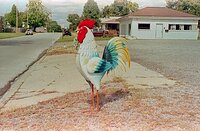
The Chicken

A
The Chicken

  • 3
  • 4
  • 57
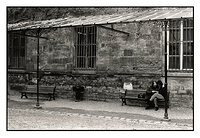
Amour - Paris

A
Amour - Paris

  • 1
  • 0
  • 70

Recent Classifieds

Forum statistics

Threads
203,238
Messages
2,851,894
Members
101,742
Latest member
Compressorken
Recent bookmarks
0

BetterSense

Member
Allowing Ads
Joined
Aug 16, 2008
Messages
3,151
Location
North Caroli
Format
35mm
I use a lot of Diafine and I've had a problem crop up recently where I have surge marks around the 35mm sprocket holes (although this has happened on some pretty overexposed negatives). I'm trying to figure out the best agitation routine for Diafine. I typically only agitate gently right after I pour the developer in, and then let it sit for the 3min. How do you do it, and have you ever had uneven development?
 
can you post the scan of the negative? could be light leaks, could be not enough developer in the tank. Hard to say without looking at the neg.
 
I do 10 seconds gentle inversions after filling, then again at 1m and 2m, with both A & B. I fix for 5 minutes (Ilford Rapidfix) with the same schedule. However, I did have a touch of bromide drag (I think that's what it is) on a few frames of one roll myself, but only noticeable in flat-toned sky areas. I'll be processing a lot of sky shots in the next couple days, so I may have more to say then.
 
When I first used Diafine I followed the box instructions. Agitate first 5 seconds & then 5 seconds each minute. I noticed surge/bromide drag marks so tried more agitation. Agitating the first 15 seconds and then 5 seconds every 30 got rid of those marks. I've been doing it like this for years now, hundreds of rolls & no more marks.
 
OK, maybe I just need to agitate more. Basically the marks look like cloudy streaks running from the sprocket holes toward the center of the film strip, sometimes at a slight angle. Areas adjacent to a sprocket hole actually look to have less density than areas between sprocket holes.
 
Photrio.com contains affiliate links to products. We may receive a commission for purchases made through these links.
To read our full affiliate disclosure statement please click Here.

PHOTRIO PARTNERS EQUALLY FUNDING OUR COMMUNITY:


Ilford ADOX Freestyle Photographic Stearman Press Weldon Color Lab Blue Moon Camera & Machine
Top Bottom
