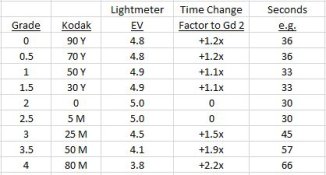
Tony, if you combine F Stop printing times with the changes of contrast that you alter from a test print, you can be very accurate, very quickly. I scoured the net for an F stop printing chart, but pretty much they are all very hard to use in a darkroom when you are printing lickety split. The best one I have come across was in Way Beyond Monochrome, however, that is as busy as anything for virtually everything I do, I want simplicity and speed.
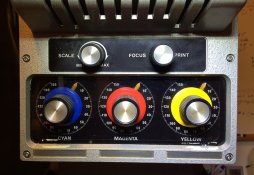
I made my own F Stop printing time chart using 1/8 stop increments, by halving those times I then have 1/16 increments. Within reason the finest time gradations I generally do are in 1/16 of a stop. It is as simple as anything, if for instance I am printing with a base exposure of 10 seconds and the negative is so good I do not need to do anything else except control density, but wish to add a poofteenth more contrast. I'll add say 1/8 of a grade of contrast, which is certainly very easily doable with a colour head using two filters, but I also know I'll need another 1/16 of a stop density increase to allow for the very slightly different filtration, but also to give the highlight a push or pull. My time will be an extra 1/16 of a stop at 10.4 seconds, I could make no filtration changes, but also wish for a very slight density change. If so, I would add 1/32 of a stop of exposure, which would be 10.2 seconds
I'll find a better copy, or make a better copy than the one on my darkroom wall that is at least 20 years old, then get it scanned, then pop it up here if you would like?
Once you have a feel for your enlarger and the way very minor filtration changes alter density, this almost becomes second nature.
Your light meter with the flat incident cover is quite good, but I know from experience, a proper darkroom density meter will be better. But what you have is certainly not a slouch. I myself have the original Color Star (Lici) colour analyser, which not only measures all three channels at once, but does density readings that have to be seen to be believed. It is deadly accurate, if used as I explained earlier. Up with the best industrial density meters costing thousands of US dollars many decades ago.
Mick.