

I have now test printed with Fujimoto G70 enlarger converted to WS2812 led strips.
The conversion was successful; I could increase the light output by 3-4 stops compared to halogen bulb with even illumination and the conversion was pretty easy to do.
I purchased (gladly) two 1 meter 144 led / m strips. I was about to use only one meter because the eBay sellers promised 42 watt power from single meter. I think the sellers have messed up with readings from 5 meter strip. So I soldered two meters of strip and glued the strip on the walls of the enlargers light "chamber", above condenser lens.
The power consumption was really a surprise: single color channel consumes about 2.2 amps on 5V so the power is about 11 watts. That is enough to make 5x7" print at 2.2 stop exposure while lens is stopped down 4 stops! My halogen setup required 3-4 stops exposure at lens stopped down 2 stops. That is 3-4 stops difference, only at 11 watts of light. I have always thought the halogen light path is pretty stupid
The illumination seems to be really even, I made a "grey" print without any film inside and it looks quite even. I need to dry the print and scan to make final conclusion. So far I would say no problems at printing.
Also the exposure time seems to be pretty even with green and blue light so adjusting contrast should be really easy.
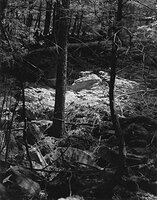
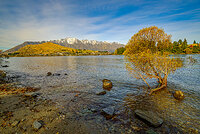
Attached is LED printed papers in fixer. Upper is printed with green only and below blue only.

The conversion was successful; I could increase the light output by 3-4 stops compared to halogen bulb with even illumination and the conversion was pretty easy to do.
I purchased (gladly) two 1 meter 144 led / m strips. I was about to use only one meter because the eBay sellers promised 42 watt power from single meter. I think the sellers have messed up with readings from 5 meter strip. So I soldered two meters of strip and glued the strip on the walls of the enlargers light "chamber", above condenser lens.
The power consumption was really a surprise: single color channel consumes about 2.2 amps on 5V so the power is about 11 watts. That is enough to make 5x7" print at 2.2 stop exposure while lens is stopped down 4 stops! My halogen setup required 3-4 stops exposure at lens stopped down 2 stops. That is 3-4 stops difference, only at 11 watts of light. I have always thought the halogen light path is pretty stupid
The illumination seems to be really even, I made a "grey" print without any film inside and it looks quite even. I need to dry the print and scan to make final conclusion. So far I would say no problems at printing.
Also the exposure time seems to be pretty even with green and blue light so adjusting contrast should be really easy.
Attached is LED printed papers in fixer. Upper is printed with green only and below blue only.


 If I get nice print at 50% "contrast" (both colors at 50% of full time) then the single color prints are a bit darker. I mean if I print only with blue color for 100% time, the highlights start to get too much exposure / overall print is a bit dark. I fixed this using curve matching with bezier curve (because I'm looser at matching logarithmic curve).