• Welcome to Photrio!
    Registration is fast and free. Join today to unlock search, see fewer ads, and access all forum features.
    Click here to sign up

Durst 1000 otoneg 2 and 4x5?

Recent Classifieds

Forum statistics

Threads
201,767
Messages
2,829,835
Members
100,936
Latest member
rdbirt
Recent bookmarks
0

Janosch Simon

Member
Allowing Ads
Joined
Oct 28, 2012
Messages
41
Format
Multi Format
hey all :smile: i´m a proud owner of an Durst Laborator 1000 it came with the Otoneg 2 carrier with one glass on the bottom and one above. I've already searched the forum but to me it seems that the bottom glass carrier is to small for 4x5" the open area on the bottom one is only 96mm x 121mm and for 4x5" it should at least be 102mm x 127mm so i would loose on both ends 6mm what i DONT like :D

can you guys point me to a the right part? or can i just use optical glass on the bottom? as far is i understand only the top one is an anti newton?

cheers and thx
janosch
 

RobC

Member
Allowing Ads
Joined
Nov 5, 2007
Messages
3,880
Location
UK
Format
Multi Format
measure the actual image area width and height of a 4x5 neg and then take off 2 mm off width and height. What result for width and height does that give you.
 
OP
OP
Janosch Simon

Janosch Simon

Member
Allowing Ads
Joined
Oct 28, 2012
Messages
41
Format
Multi Format
yeah the image area is roughly 96x121 but i like to add a small boarder :smile:
 
OP
OP
Janosch Simon

Janosch Simon

Member
Allowing Ads
Joined
Oct 28, 2012
Messages
41
Format
Multi Format
not enough space for 5x7 :-( hmmm any other solution? any body changed the bottom glas?
 

Hilo

Subscriber
Allowing Ads
Joined
Apr 19, 2011
Messages
922
Format
35mm
Welcome to the world of Negative Holder Modifications !

All you need to do is to enlarge the opening of the metal frame under the bottom glass. By let's say 3 to 5 mm on all four sides. Seen from above the very inside edge has a light metal color, right? Just file that away. And maybe some more to get more black border than you actually need. You do not need to be precise, because the outside of your black border you mask off with your easel.

I modify Leitz 1C negative holders like that. I also have the L1000 but am not shooting 4X5. If I were it would be the first thing I would do.

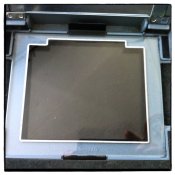
PS attached my L1000 negative holder. Yours is the same?
 

Attachments

  • L1000 negative holder.jpg
    L1000 negative holder.jpg
    305.4 KB · Views: 224
Last edited by a moderator:

RobC

Member
Allowing Ads
Joined
Nov 5, 2007
Messages
3,880
Location
UK
Format
Multi Format
I think most people give up on trying to print borders. They simply aren't necessary and are a pain to get right 100% of the time. You seem to be assuming you will never want to crop the negative and can always rely on your enlarger neg mask to do the job. For most of us that would never work out. We don't print 5x4 aspect ratio prints.
So that means you need other means of printing borders and thats where it gets tricky. You can place a pre-cut card in your easel to mask print area except border and print black border/key lines but its hard to get right. You can use a marker pen to do it or you can do like most people and use the bevel of your mat board to delineate your image border without printing them.
 

Hilo

Subscriber
Allowing Ads
Joined
Apr 19, 2011
Messages
922
Format
35mm
Of course we all have different reasons for doing things in a certain way. Luckily!

For some images I like to include the black border, for other images not. Sometimes what happens on the edges of the image is so important, then every millimeter more image can become important. Sometimes the image falls apart without a border. Sometimes a border is too much for a certain image.

For some people who do not have the experience: To print a border around the image is generally done by including a little bit of the negative borders around the negative, on all four sides. Remember the negative is transparent around the image, you just expose light on to the paper. One way is to use an easel and, when masking off image, you just include a little bit of border around the image. That way will give you sharp and straight border lines on the outside. On the inside the border lines are never as straight, sometimes image and border melt into each other and also, on the inside of the border, the corners are often rounded - giving this wonderful analog feeling.

Another way to print borders is with a negative holder or mask, that has a couple of millimeters more opening than actual negative size. This way you will get slightly fuzzy outside border lines, not hard straight. Leitz Focomat 1C and Valoy II negative masks are great for that. There are enlargers with negative masks that make it possible to create a border by closing four 'flaps' close to the image. Often this results in quite dominant borders, not really my thing.

To print without a border and use a black marker is something I would never consider. The black of a marker will always differ from the black of photo paper. And, even though on the marker the word permanent is used, you never know what that black marker's ink will look like some years later. There exist many fiber prints, signed in the white around the image, that have discolored or faded hand writing. The nightmare of the photo dealer: a beautiful print with a fading signature.

One of the reasons for borders, including their small faults, is the obvious analog feeling: this is made by hand, the next time it will look slightly different. It is like life, never quite perfect. That perhaps being my main objection to digital printing: it is too perfect.
 

swittmann

Member
Allowing Ads
Joined
Jan 23, 2010
Messages
174
Location
Berlin, Germ
Format
Medium Format
Hi Janosch,

I have the same enlarger and printing 4x5'' works perfectly. No problem, just go ahead.

You are right: One of the glasses is Anti-Newton, to be used on the top, and the lower one is the standard glass.

It's a wonderful enlarger. I wish you many fantastic prints made with it :smile:

Best regards
Sandra
 
Photrio.com contains affiliate links to products. We may receive a commission for purchases made through these links.
To read our full affiliate disclosure statement please click Here.

PHOTRIO PARTNERS EQUALLY FUNDING OUR COMMUNITY:


Ilford ADOX Freestyle Photographic Stearman Press Weldon Color Lab Blue Moon Camera & Machine
Top Bottom