• Welcome to Photrio!
    Registration is fast and free. Join today to unlock search, see fewer ads, and access all forum features.
    Click here to sign up

Digital negatives with a Epson 3800 using Piezography method 3 on Pictorico Premium

Recent Classifieds

Forum statistics

Threads
201,108
Messages
2,819,274
Members
100,529
Latest member
VicSpectralstarSP-I
Recent bookmarks
0

Pcane

Member
Allowing Ads
Joined
Oct 29, 2013
Messages
2
Digital Negatives and Epson 3800.
Ok, hoping someone more experienced than I can jump in here and help.

I’m using a Epson 3800 with Piezography inks, using method 3, that’s a dedicated printer for negatives only. I’m printing with Pictorico Premium Transparency Film for carbon printing. I finally have the carbon process down with no issues but the digital negatives are just kicking my ass. I’d love it if someone can answer some questions about the printer and QTR settings.

1. Is the Epson Media Adjustment program for a custom paper set up ignored when using QTR to print? These settings allow changes for drying time between passes and paper feed adjustments and platten distance, they would be nice to use if I can.

2. When using QTR what setting are best for Pictorico? I'm using sheet feed, photo paper, 2880 dpi, uni-directional, Black ink-installed, PZDN-X800-METH3-Carbon

3. Can someone describe the Pizza Wheel marks? I’ve had horizontal marks spaced about an inch apart up and down the negative. Are these what are called pizza wheels?


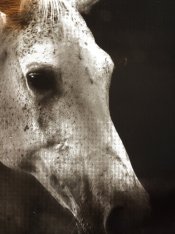
a. I’ve managed to get rid of the “pizza wheels” by using the front loader with heavy card stock as a backer but that’s created other problems. I’m now getting grid marks across the full carbon print. I can’t see these marks in the negative, only in the print-which makes me think it has something to do with the UV density of a particular ink cart, but I’m not sure. I’ve attached an images of the problem. You can see the grid pattern in the midtones of the image. Any thoughts would be appreciated greatly.

Peter Cane
Marketingimagephotography.com
 

Attachments

  • photo (4).jpg
    photo (4).jpg
    1 MB · Views: 142

RalphLambrecht

Subscriber
Allowing Ads
Joined
Sep 19, 2003
Messages
14,832
Location
K,Germany
Format
Medium Format
Digital Negatives and Epson 3800.
Ok, hoping someone more experienced than I can jump in here and help.

I’m using a Epson 3800 with Piezography inks, using method 3, that’s a dedicated printer for negatives only. I’m printing with Pictorico Premium Transparency Film for carbon printing. I finally have the carbon process down with no issues but the digital negatives are just kicking my ass. I’d love it if someone can answer some questions about the printer and QTR settings.

1. Is the Epson Media Adjustment program for a custom paper set up ignored when using QTR to print? These settings allow changes for drying time between passes and paper feed adjustments and platten distance, they would be nice to use if I can.

2. When using QTR what setting are best for Pictorico? I'm using sheet feed, photo paper, 2880 dpi, uni-directional, Black ink-installed, PZDN-X800-METH3-Carbon

3. Can someone describe the Pizza Wheel marks? I’ve had horizontal marks spaced about an inch apart up and down the negative. Are these what are called pizza wheels?


a. I’ve managed to get rid of the “pizza wheels” by using the front loader with heavy card stock as a backer but that’s created other problems. I’m now getting grid marks across the full carbon print. I can’t see these marks in the negative, only in the print-which makes me think it has something to do with the UV density of a particular ink cart, but I’m not sure. I’ve attached an images of the problem. You can see the grid pattern in the midtones of the image. Any thoughts would be appreciated greatly.

Peter Cane
Marketingimagephotography.com
YesPeter, the pattern is clearly visible.To me it looks like a moire pattern.Do you see this on the screen prior to output?Does it also happen when you chose a different print resolution?:whistling:
 

Richard Boutwell

Member
Allowing Ads
Joined
Jul 21, 2003
Messages
583
Location
Philadelphia
Format
8x10 Format
Are you making separations for each color?

I found that when I was trying to do separations for platinum/palladium prints the inkjet printer would never make the negative the same dimension twice—even with the same file and just turning the visibility of an adjustment layer on and off.

That could be causing that screening pattern. If you have doubts about the UV blocking densities of one of the carts print the ink separation file on the transparency material in QTR using the calibration mode and then make a carbon print of the step wedges. You might want to try it at the ink limit for that curve. I just checked the curve, and the cyan position (shade2) is up at 89, so maybe use 75 for all the positions and see if one of the carts isn't blocking as much as it should. It will print all carts that are loaded, but you can edit the ink sep file to only print the cartridges being used (just use photoshop select and delete the ramps for the unused positions)

Hope this helps.

RB
 
OP
OP

Pcane

Member
Allowing Ads
Joined
Oct 29, 2013
Messages
2
Hi Richard and Ralp, thanks very much for your input. I should have been clearer I'm not doing separations, just black and white. Jon Cone make a 5 ink set for Epson printers. My problems seemed to be coming from the front loader on the 3800. When I revert back to the making negatives from the sheet feeder, they seem to work much better. The attached image doesnt have any of the problems I saw from negatives from the front loader. (other than the massive amount of grain-but that's from the image which I shot at 3200 iso) Not being able to use the front loader means I'm still stuck with the pizza wheels or moire pattern. Frustrating.

One last unrelated question, regarding printing carbon in color, what are you guys using for pin registration systems for your negatives?

Thanks Peter.photo (4).jpg
 

CMB

Member
Allowing Ads
Joined
Mar 17, 2011
Messages
117
Location
Santa Cruz,
Format
Multi Format
1. If you are using tempered safety glass in your printing frame, that may be the cause of the moire/dots. See the current relevant discussion
on the alt-photo-process list.

2. Stoesser is the standard register punch but others such as Ternes will work fine.
 
Photrio.com contains affiliate links to products. We may receive a commission for purchases made through these links.
To read our full affiliate disclosure statement please click Here.

PHOTRIO PARTNERS EQUALLY FUNDING OUR COMMUNITY:


Ilford ADOX Freestyle Photographic Stearman Press Weldon Color Lab Blue Moon Camera & Machine
Top Bottom