• Welcome to Photrio!
    Registration is fast and free. Join today to unlock search, see fewer ads, and access all forum features.
    Click here to sign up

Densitometer Dilemma

Other side

H
Other side

  • 0
  • 0
  • 13
Portal

H
Portal

  • 2
  • 0
  • 30

Recent Classifieds

Forum statistics

Threads
203,408
Messages
2,854,198
Members
101,820
Latest member
Karumikobu
Recent bookmarks
0

Doc W

Member
Allowing Ads
Joined
Nov 7, 2009
Messages
952
Location
Ottawa, Cana
Format
Large Format
My old MacBeth densitometer was getting a little wonky so I just bought an Xrite 820 from ebay and I think I made a mistake. I retired from hi tech in the hope that I would never again have to read a turgid manual. Holy SMOKES! All I want to do is find the density of test strips on black and white negatives. I think that this machine probably solves the four colour map theorem while making coffee. It is wAAAAY over my head.

Does anyone else use one of these for the very limited purpose of black and white negs? I could use some advice.
 
My old MacBeth densitometer was getting a little wonky so I just bought an Xrite 820 from ebay and I think I made a mistake. I retired from hi tech in the hope that I would never again have to read a turgid manual. Holy SMOKES! All I want to do is find the density of test strips on black and white negatives. I think that this machine probably solves the four colour map theorem while making coffee. It is wAAAAY over my head.

Does anyone else use one of these for the very limited purpose of black and white negs? I could use some advice.

Should be easy to use. Just read the visibility channel.
 
X-Rite:
Briefly look through the entire operator’s manual and get a general understanding of
how the unit operates.

Well...
 
AgX, you got it! That is a bit like saying "Briefly look through the local library..."

If anyone has one of these things, I could use some help.

Chan: what IS the "visibility channel" and how do I find it?
 
Looks like you need to push button 5, then push button 2 until it says tranM.

Then push the read head button and look at the result on the display...

If that works, you've got it. If not, then the instructions are too complicated for me too.
 
I seem to be getting somewhere - thanks for the tips. Now how do I calibrate the damn thing? I tried a step wedge with known values and it reads very low.
 
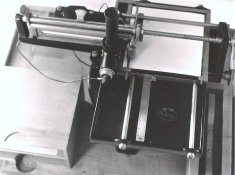
This is what I use. Simple and reliable

Komparations-Densograph_ICA,_1920er_Jahre_001.jpg
 
Now how do I calibrate the damn thing? I tried a step wedge with known values and it reads very low.

Page 60 and 61. Press the appropriate buttons on the machine and enter your value from your step wedge around 2.0 to 3.0 or so.

But, you say your step wedge 'standard' only has a single density number indicated for each step?? Then enter that same number for all the color channels on the machine.
 
Page 60 and 61. Press the appropriate buttons on the machine and enter your value from your step wedge around 2.0 to 3.0 or so.

But, you say your step wedge 'standard' only has a single density number indicated for each step?? Then enter that same number for all the color channels on the machine.

I don't have the step wedge shown in the manual. The step wedge I have is the one I used with my old MacBeth and as far as I know, it was made by the previous owner. It is more of a test strip really, with 9 steps from 0.04 to 1.77. Not really enough I don't think. I have a Stouffer step wedge which I read with my MacBeth. I still have those values (21 steps, 0.05 to 3.05).

I am still baffled by the calibration procedure. I only want to use this device for b&w.

Does anyone in APUG own one of these? I think I need to be walked through this procedure. It sure isn't intuitive.
 
Last edited by a moderator:
RE- read page 61 please. Press the buttons indicated on that page. Then enter 1.77 for all color values. Then make a reading with nothing under the probe then make a reading with your 1.77 under the probe. According to the manual that is all there is to calibrate it.


Then read the strip as in page 19 to see that it reads 1.77 and you know it is calibrated. Use status A and BLACK channel for all your readings.
 
Last edited by a moderator:
Success!

ic, you got me very close, but it still didn't work. The manual neglects to tell the poor user that you must hit the "continue" option between two crucial steps or it just doesn't work. I admit to being somewhat dyslexic when it comes to manuals (seriously! it's no joke) but this manual is really one of the worst.

However, all's well that ends well. Thanks to all for your efforts. A special thanks to ic for encouraging me to focus on being meticulous in following the procedure. It is too bad that all of you can't be here. We could crack open a bottle of ... something... and measure some negatives!!! :D
 
Good to see it working. You might want to write down how you did it. I'm good with this sort of thing, but if I don't write it down, a year later I go through all the same exploratory steps to figure it out again (and repeat all the mistakes!).
 
Photrio.com contains affiliate links to products. We may receive a commission for purchases made through these links.
To read our full affiliate disclosure statement please click Here.

PHOTRIO PARTNERS EQUALLY FUNDING OUR COMMUNITY:


Ilford ADOX Freestyle Photographic Stearman Press Weldon Color Lab Blue Moon Camera & Machine
Top Bottom