

• Welcome to Photrio!
    Registration is fast and free. Join today to unlock search, see fewer ads, and access all forum features.
    Click here to sign up

"Bitten"/scratched and "foggy" negatives

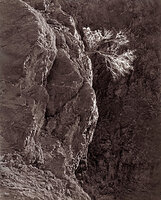
Bush on Canyon Wall

A
Bush on Canyon Wall

  • 2
  • 1
  • 20
double portrait

A
double portrait

  • 1
  • 0
  • 48

Forum statistics

Threads
203,260
Messages
2,852,027
Members
101,749
Latest member
frieMo
Recent bookmarks
0

domagojs

Member
Allowing Ads
Joined
Mar 31, 2010
Messages
6
Format
35mm
Hi all,

I'm back with a new problem :smile: The problem is that sh#t in the upper right corner! It's all over the film :sad:

domagojs-albums-what-happened-here-picture3820-10080025-resize.jpg


Here's how I developed it.

1. I mixed the last batch of D-76 developer from the bag. I was being smart and I mixed only one liter of the D-76 developer at the time and now I'm afraid that somehow produced this...

2. The film is Arista Premium 400 and I developed it in the Paterson System 4 tank by rotating the rod.

3. Those scratches are all over the film, every time in different places on the negatives, but always the same size. Just a few negatives are without this and they are perfectly fine.

Could it be that I had something floating in the developer (e.g. undissolved developer) and that scratched negatives?

Thanks for looking and support!
 
Why did you bite your film? Were you hungry? :smile:

Joking aside, it looks more like a development error to me, than a mixing error. Perhaps you didn't cover the spiral with enough liquid during development. Always use a little extra just to be safe.

Do the negs look milky in that area when dried? If so, you haven't fixed them for long enough, or used enough liquid. If that's the case, re-fix the negatives in fresh fixer for the recommended time and they'll clear.

This is assuming it's 35mm or 120 film. Sheet film is a different ball-game.

I can't help with the thumbprint, but the FBI are onto you :smile:
 
Mixing partial batches of powdered pre-packaged developers is a bad idea. You can't be sure the components are evenly distributed throughout the bag. They re so cheap anyway, this is a false economy.

Get yourself some 250ml glass bottles and fill them to the brim with developer. Stuff'll last months like that. 250mL is about what you need for each roll anyway, minimum.

Or buy metol, sulfite, and borax and mix your own D76H for the ultimate in cheap and fresh developer.
 
A few random thoughts - I suspect the upper right hand corner issue is a fingerprint. When your film is dry, you need to handle it with dry hands or you will get finger marks.As for scratch marks, scratching film is easiest when it is wet.. Wet film is very fragile and needs super careful handling till dry. I have no theory about the blobs that look sort of like light leaks unless those areas somehow became way overdeveloped or locally underfixed or if you have some odd light leak.

Other posts noted correctly that mixing partial units of D-76 or whatever tends to be a problem as the various contents are not necessarily evenly distributed in the powder.
 
Thanks guys for your answers.

When I roll the film onto the reel in the dark I sometimes touch it's surface with my fingers. Can this be the fingerprint, or was it more likely to occur when the film was wet and drying?

I had the film covered with 100 ml more of developer when I was developing it so I don't believe that there was uneven developer distribution.

These are not particularly whitish, but I had some which were whitish in the center throughout the film. Was that bad fixing? Was it too short fixing, too less fixer, or something else?

For the next batch I already decided to mix it whole and to store it in 2 and 1 L bottles. I didn't do it like that before because I wasn't very keen on the idea of having 4 L of chemicals lying around in the house with the two-year-old toddler wandering around...
 
@kevs: I hope FBI doesn't find me before I process my next film ;-)
 
It's hard or impossible to load film without touching it. If your hands are dry and clean it's fine. I am assuming you mean you had the tank overfilled by 100 ml, not that you had only 100 ml in the tank. Whitish film in the center might be from under fixing - possibly due to film surfaces touching and preventing the fixed from doing it's job where the film touched. A common occurrence. If you had a lot of whitish areas maybe your fix is really tired or reeeeally expired.
 
That is a dandy looking finger print in the upper right corner. Batching D-76-- its best to mix the entire package, and store the extra in tightly sealed, filled to the top, bottles. If you are using a Patterson tank, use an extra 50ml of fluids above the recommended. Use fresh fixer, and keep count of how many rolls have been processed, add extra time for each use. Do a fixer clear test to give proper fix time. Run your chems through a filter to clean the chunks out. Mix your chems with bottled water, doesn't need to be distilled.
 
You might want to try inversion agitation rather than the swirl stick. It would more likely ensure full surface coverage of liquid. Be sure to tap the tank slightly on the table two or three times after each inversion cycle to dislodge any air pockets or bubbles.
 
The mark up right is a fingerprint, 100 % sure.

The white streak should be a drying mark, caused by calcium in the tap water or more likely by a drying agent. Use pure demineralized water without any additive for the last rinse (5 minutes) and be fine.

Cheers - Reinhold
 
Photrio.com contains affiliate links to products. We may receive a commission for purchases made through these links.
To read our full affiliate disclosure statement please click Here.

PHOTRIO PARTNERS EQUALLY FUNDING OUR COMMUNITY:


Ilford ADOX Freestyle Photographic Stearman Press Weldon Color Lab Blue Moon Camera & Machine
Top Bottom
