
• Welcome to Photrio!
    Registration is fast and free. Join today to unlock search, see fewer ads, and access all forum features.
    Click here to sign up

B&W Prints from Color Negatives

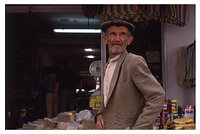
Man in market place

A
Man in market place

  • 0
  • 0
  • 5
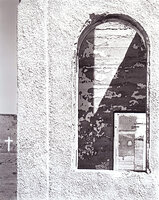
Abandoned Church

A
Abandoned Church

  • 2
  • 0
  • 30

Forum statistics

Threads
203,120
Messages
2,850,104
Members
101,680
Latest member
QGolden
Recent bookmarks
2

FilmIs4Ever

Member
Allowing Ads
Joined
Jan 13, 2004
Messages
377
Location
Cleveland, O
Hey everyone. Sorry if this is in the wrong forum, but I didn't want to irk either B&W or color guys by posting in the wrong forum. I know that making B&W prints from B&W negs isn't optimal, but I am in a crunch and need to do some because I need to blur out some faces in some pictures I am printing for a newspaper, something that obviously can't be done at a one-hour photo. Is there an easy way of making B&W prints? I was thinking of trying to get some RA-4 paper and printing it in Dektol (but in pitch black of course). Is this the only option I have, or is there some filter pack that will make for good prints on conventional B&W paper? I don't think I have the proper equipment for making B&W internegs or the money for that matter. Thanks for your help.

Regards.
~Karl Borowski
 
I'm assuming you mean that you'd like to make b&w prints from colour negs.

Put the neg in the enlarger,
Print as if you were using a b&w neg, (B&w paper and developer)
Evaluate your work...

Adjusting the filters will change the look of some tones, but won't really affect contrast overall (in my setup at least). I've seen some spectacular results that have an interesting contrast range and grain... I've also seen some disasterous results.

Good luck!

joe :smile:
 
As much as I shouldn't say it on APUG, this may be best done digitally. If these prints are not for artistic work, why not just have the newspaper scan them and blur the faces after scanning?
 
In addition to the good advice already given re Panalure and digital, there is also the option of printing on Portra B&W paper. This is an RA-4 colour process paper that some mini-labs use. It is 'panchromatic' like Panalure so it won't distort the colour to B&W conversion and it is made to match the gamma of colour negative film. The image is a neutral or sepia dye image (there are two choices of image colour available) instead of a three-colour dye image (at least I believe that it is, I don't know that for sure). I suspect that digital manipulation is the best answer in this case, but I find that it's handy to know about Portra B&W paper.

Best,
Helen
 
it really isn't any different than any other negative as has been suggested above. there will be some contrast issues and grain and the times are usually longer .
Panalour of course is made for this purpose but must be handled in complete darkness.
 
I do this only in case of emergency and sometimes that I need contacts.
I prefer to print using a VC paper and filter #3

Panalure was good, but I thought it was discontinued since most minilabs can do the conversion by using special papaer or digital conversion.
 
There's one grade (M) of Panalure left, according to Kodak.

Best,
Helen
 
I print it on Agfa Premium paper. I do a straight test at grade 3 and evaluate the contrast. then I find out if I need raise or lower the grade and find the right exposure...nice result but an overall rule of thumb is that it will need some contrast.
Else I would go the digital way which can give you nice results too, but that we do not discuss here :tongue:
 
I have one unopened box of Oriental Pan paper ... But I can't remember where I got it from! Adjust contrast with exposure and developer, that should give anything up to four grades to play with.
 
Photrio.com contains affiliate links to products. We may receive a commission for purchases made through these links.
To read our full affiliate disclosure statement please click Here.

PHOTRIO PARTNERS EQUALLY FUNDING OUR COMMUNITY:


Ilford ADOX Freestyle Photographic Stearman Press Weldon Color Lab Blue Moon Camera & Machine
Top Bottom
