

Hi everyone, Michael from Italy here,
first of all happy New Year to all forum friends,
As per the title, I’m developing a small project to (hopefully) improve my experience during the development process. I’ll briefly explain:
A brain box containing: 6 buttons, a rotary encoder, a 20x04 display, a buzzer, a relay, and a temperature probe.
The code allows setting the various steps with development times, washing, etc., using the encoder. With one button (reset) all values are cleared; with the up and down buttons you can move between the steps (I set 8 steps). When the start button is pressed, the program starts the cycle, always from the first step, and it can be stopped and restarted by pressing the same Start/Pause button.
During the program, two buttons manage the following functions:
Obviously, if you’re interested, the project is open to everyone, and I can also send you the files to print the adhesive skin that I designed using InDesign.
The code is here:
pastebin.com/gYnG1PpC
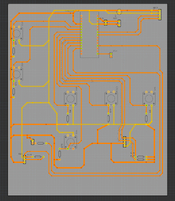
If needed, I can also share the PCB file.
Thanks in advance to anyone who replies,
Michael
first of all happy New Year to all forum friends,
As per the title, I’m developing a small project to (hopefully) improve my experience during the development process. I’ll briefly explain:
A brain box containing: 6 buttons, a rotary encoder, a 20x04 display, a buzzer, a relay, and a temperature probe.
The code allows setting the various steps with development times, washing, etc., using the encoder. With one button (reset) all values are cleared; with the up and down buttons you can move between the steps (I set 8 steps). When the start button is pressed, the program starts the cycle, always from the first step, and it can be stopped and restarted by pressing the same Start/Pause button.
During the program, two buttons manage the following functions:
- Temperature probe: connected to a T pipe after a thermostatic valve to regulate the temperature of the water coming out of a heater. While the button is pressed, the temperature appears on the display.
- Water button: while it is held down, it opens a solenoid valve to let thermostated water flow and fill tanks or chemical containers, and the word “water” appears on the display.
Obviously, if you’re interested, the project is open to everyone, and I can also send you the files to print the adhesive skin that I designed using InDesign.
The code is here:
pastebin.com/gYnG1PpC
If needed, I can also share the PCB file.
Thanks in advance to anyone who replies,
Michael