• Welcome to Photrio!
    Registration is fast and free. Join today to unlock search, see fewer ads, and access all forum features.
    Click here to sign up

A Basic question

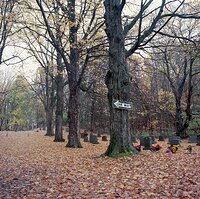
Rainy Day Trees

A
Rainy Day Trees

  • 6
  • 1
  • 94
One Way

A
One Way

  • 3
  • 1
  • 93

Recent Classifieds

Forum statistics

Threads
203,157
Messages
2,850,720
Members
101,703
Latest member
yppnq
Recent bookmarks
1

JosBurke

Member
Allowing Ads
Joined
Nov 27, 2004
Messages
464
Location
KY
Format
Multi Format
It seems that a current printing method or viewing method or posting method (scans etc..) that very common for the square 6x6 and Holga images is the darkening at the edges or as the image goes to the edges. whats the procedure for this ? I'm not talking of filed neg carriers and borders but the whole image.
 
I think Holga's give you that in camera, which is part of their apeal apparently or not, as you may feel. To do it under the enlarger, you burn the corners and a bit of the edges, moving your card around to make it look uneven and so the edges end up darker.
 
Holgas do it on their own, along with other possible random light leaks. :wink:

If you want similar darkened corners from regular negs, just add a little burn time under the enlarger, moving an appropriately-shaped (circular for 6x6, oval for 8x10) dodging tool up and down during the extra exposure. an extra 10% is subtle, 20% is more obvious. Test to taste from there.

Burned-in corners were very popular several decades ago, particularly for glamour shots. So, doing it with current prints can give sort of a retro look.

penn027-350bwm.jpg
 
For burning corners around people I like to use what I call the Ducks ass and the Ducks beak approach.

Basically my right hand is cupped and curled and mimics the beak of a duck. I use this hand to burn around the head . by slightly moving my hand and also the shape of my fingers I can burn around most heads.

My left hand is cupped and curled and mimics the ass of a duck. I use the left hand to create a more rounded base which is evenly placed on the bottom of the image . I do not move my fingers or the shape too much for the bottom.

I was taught this by a master printer during my first apprenticeship and never forgot the technique.

If you use a dodging tool to create the corners you are basically confined to the shape of the oval. I prefer doing the top and bottom seperately with my hands as you can mold around shapes much easier and as well create darker toned shapes that is complimentary to the subject.

So remember . Ducks Ass. Ducks Beak.
 
It is pretty normal for the edges of negative film to build density faster than the center, thus the edges print lighter. It has been a fairly common procedure for a long time to burn in the edges of the negative to compensate for this increased density. At some point this evolved into darkening the edges of the print further than necessary when simply compensating for the increased density. It's a pretty effective printing method for some photographs but it does mimic camera lens light fall off and vignetting, like in the Holga.
 
Photrio.com contains affiliate links to products. We may receive a commission for purchases made through these links.
To read our full affiliate disclosure statement please click Here.

PHOTRIO PARTNERS EQUALLY FUNDING OUR COMMUNITY:



Ilford ADOX Freestyle Photographic Stearman Press Weldon Color Lab Blue Moon Camera & Machine
Top Bottom