

• Welcome to Photrio!
    Registration is fast and free. Join today to unlock search, see fewer ads, and access all forum features.
    Click here to sign up

4x5 Developing Woes. Odd Edge Markings.

102391040027-2.jpg

A
102391040027-2.jpg

  • 4
  • 4
  • 56
Just a Sparrow

D
Just a Sparrow

  • 1
  • 0
  • 39

Recent Classifieds

Forum statistics

Threads
201,778
Messages
2,829,966
Members
100,941
Latest member
McKay
Recent bookmarks
0

Molli

Member
Joined
Dec 28, 2009
Messages
1,023
Location
Victoria, Australia
Format
Multi Format
I'm posting this primarily to christen the Analogue section of Photrio today, see what EXIF data is retained in images uploaded directly here, and also to see if the email notifications are working from the new site yet. For the sake of the latter, please feel free to babble nonsense in response if you feel moved to so. For the sake of my sanity, "help"!

I've been using the Stearman SP-455 Developing Tank for some time now and have, on a couple of occasions, found these marks along the long edge of some of my negatives. I have my double dark slides numbered and I keep good notes so I know it's none of them as it's never been the same DDS twice. As to the tank, I thought I had it narrowed down to a particular holder, but that has also, now, appeared on a different one from the last two times. A couple of friends have speculated that it's from the tabs down the side that the film slides under and I suspect this may be the case. However, I warmed the tabs and slid a hot knife under each of them to lever them up and away from the film to no avail.

For most, this wouldn't be an issue as I'm almost certain that an enlarger's negative carrier will actually cut off the area in question. I don't have a 4x5 enlarger, though, and can only contact print these in all of their messed up glory.

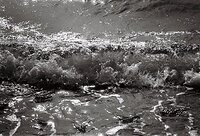
I only have scans of the prints (please be kind!) The first is printed quite darkly and, yes, I know I've obviously lifted the bail back when removing the slide to create those light leaks. The second shows the problem far more clearly and is just a crop of a portrait (because no one needs to see that!) :

2017-01-21 0187 06 II LR.jpg


2016-12-07 0185 05 Dev Issue Crop.jpg


Anyway, if anyone has any ideas of what I can do to keep this from happening in the future (or a 4x5 enlarger up for donation!), I'd be most appreciative. Thank you in advance for your time and attention.
 
Last edited:

ozphoto

Subscriber
Allowing Ads
Joined
Apr 2, 2006
Messages
1,920
Location
Adelaide, SA, Australia
Format
Multi Format
Slight fogging of some type?:surprised:

The scan is showing the reverse, so it would be dark areas on the negs - is the tank leaking a small amount of light somehow? My 2.2c (including GST) - maybe off base, but that's my initial thought, after looking at the scans.
 
OP
OP
Molli

Molli

Member
Joined
Dec 28, 2009
Messages
1,023
Location
Victoria, Australia
Format
Multi Format
Well, I know the white blotches along the right edge are almost definitely from me being careless when I pulled the slide - it was a seriously bright morning and the sun was just rising and spilling across the back of the camera and also the sea - so that fogging is mostly my fault and partly actual sunshine bouncing off the clouds and reflecting in the water in the scene itself.

The uniform dark, rectangular areas at the bottom of both scans, though? They're very thin, very regular areas on the negative. I remember now why I ruled out it being an issue with developer being held back from those areas because of the film holders tabs in the SP-455.... there are too many of them.

Most importantly, though, we now know the email notifications of new replies works within Photrio! :D Thank you for taking a look at the print scans and taking the time to respond, Nanette. Both are very much appreciated!
 

ozphoto

Subscriber
Allowing Ads
Joined
Apr 2, 2006
Messages
1,920
Location
Adelaide, SA, Australia
Format
Multi Format
Well, I know the white blotches along the right edge are almost definitely from me being careless when I pulled the slide - it was a seriously bright morning and the sun was just rising and spilling across the back of the camera and also the sea - so that fogging is mostly my fault and partly actual sunshine bouncing off the clouds and reflecting in the water in the scene itself.

The uniform dark, rectangular areas at the bottom of both scans, though? They're very thin, very regular areas on the negative. I remember now why I ruled out it being an issue with developer being held back from those areas because of the film holders tabs in the SP-455.... there are too many of them.

Most importantly, though, we now know the email notifications of new replies works within Photrio! :D Thank you for taking a look at the print scans and taking the time to respond, Nanette. Both are very much appreciated!
No worries Molli. I couldn't think of anything to post to test, so when I saw yours, thought I'd chime in. On the plus side, this time tomorrow you'll probably have more insight and quite possibly the answer you need!! :wink:
 

drpsilver

Subscriber
Allowing Ads
Joined
Oct 31, 2005
Messages
702
Location
Los Altos, CA
Format
Multi Format
17 Aug 2017

Molli:

I am not familiar with the developing tank you are using. What baffles me is that the marks are light in the negative (=> underexposure or underdevelopment), and very regular. They look like some sort of clip that holds the sheet of film in a reel/frame. It is also interesting that tees marks do not show-up on the other edge of the negative.

Hope you find out what is going on here.

Regards,
Darwin
 

Mick Fagan

Subscriber
Allowing Ads
Joined
Sep 13, 2005
Messages
4,434
Location
Melbourne Au
Format
Multi Format
Molli, I have just had a very careful look at some of my 4x5" negatives that were developed in my SP-445.

I was quite surprised to find nearly identical smudges on two of my negatives, out of four done at once. This does suggest there is something interesting happening.

I note that when viewed on my light box, the (apparent) light leaks are there when the film notch is in the top right corner; as viewed on a light box that is.

Are yours the same?

Mick.
 

Sirius Glass

Subscriber
Joined
Jan 18, 2007
Messages
50,814
Location
Southern California
Format
Multi Format
Since it is on the edge which I would not print, I would just use the film holder.
 
OP
OP
Molli

Molli

Member
Joined
Dec 28, 2009
Messages
1,023
Location
Victoria, Australia
Format
Multi Format
Since it is on the edge which I would not print, I would just use the film holder.

...
For most, this wouldn't be an issue as I'm almost certain that an enlarger's negative carrier will actually cut off the area in question. I don't have a 4x5 enlarger, though, and can only contact print these in all of their messed up glory.
...


I'd love to use the film holder but, alas, I don't have a 4x5 enlarger. The portrait print, particularly, would be problematic even if I were enlarging. I composed so close to the edge of the frame (it's a selfie, okay, I admit it. I'm deeply ashamed but I needed skin to play with my new-to-me film and mine was the only on hand). Sorry, as I was saying, I couldn't really compose what is, quite literally, a bust shot, as it was impossible to look through the ground glass and sit in front of the camera at the same time. Cutting out the edge actually loses just that little bit too much of the subject and unbalances the image completely - and, vanity of vanities, losing that tiny extra bit of torso also makes me look fat! Now, only my mother wanted a print of this particular photo, but until I get a large format enlarger, I can only make contact prints and I compose my photos (when I can) accordingly.
Apologies for the verbiage, I've been at the computer for a bit too long these lasts few days.

Darwin and Mick, many thanks for your thoughts, also. I'm sorry I didn't respond sooner, they were made when the notification emails had stopped working. At any rate, I've taken a much closer look at the negatives and lined them up with the film holder for the tank and they're a much closer match than I originally believed. I always hesitate to assume that the problem lies with the equipment when I am right here as a much more likely culprit!
So, if it's the holder.... I don't know what to do about it. I bought the tank as part of the Kickstarter campaign. I can't afford to buy another one or even one of the new "upgraded" film holders which have been hollowed out. With regard to those new holders, I'm not sure they would fix anything with my scenario as the holding tabs exists on both the old and the new, only the backing portion has changed. Oh, Darwin, so you can see what I'm referring to with the tank, I bought one of these and absolutely love it (another reason why I really, really, don't want to be blaming the tank):

Large format review with images showing the original film holders: Dead Link Removed

Stearman Shop for buying one with the new holders: Dead Link Removed

...and I see now that I've mistyped the name as SP-455 when it should read the SP-445. I've missed the 'edit' window to fix that, unfortunately.

Molli, I have just had a very careful look at some of my 4x5" negatives that were developed in my SP-445.

I was quite surprised to find nearly identical smudges on two of my negatives, out of four done at once. This does suggest there is something interesting happening.

I note that when viewed on my light box, the (apparent) light leaks are there when the film notch is in the top right corner; as viewed on a light box that is.

Are yours the same?

Mick.

Mick, I did attempt to photograph mine on the light box, but was so unimpressed with my efforts that I wandered off to make pancakes instead. Looking again, when the emulsion side faces out in the holder (notch on the short end, top right), the rectangular markings are along the long, left hand side. The marks appear on a fair number of negatives, EXCEPT the last eight sheets. I would think, "Yay, I fixed the problem!" when I levered up the tabs thinking that developer wasn't getting under there..... but I did that around sixteen sheets ago and the image taken down at Mornington Pier falls within that range.

Anyway, gentleman, many thanks for your time and thoughts today. I just wish I knew precisely what was happening so I could predict what circumstances bring it about. It's so random (every other sheet), that I just can't pin it down.
 

winger

Subscriber
Allowing Ads
Joined
Jan 13, 2005
Messages
3,980
Location
southwest PA
Format
Multi Format
I have the same tank, but haven't used mine, yet. In looking at mine, I would think that if it were as simple as the tabs causing it that it would be along both edges, not just one. I don't see anything along the top of the harbor shot. But the tabs really do look like they could be involved. I just wonder what the other factor might be that's combining with the tabs? Sorry, I'm not much help. I don't think I've seen this issue elsewhere.
 
OP
OP
Molli

Molli

Member
Joined
Dec 28, 2009
Messages
1,023
Location
Victoria, Australia
Format
Multi Format
Bethe, I really appreciate you having a look and taking the time to respond. If nothing else, I'm feeling reassured that it's not something so blindingly obvious that I am just too simple to see. That being said, I'd be really happy if it DID turn out to be something basic - that would put it into the realms of something I could remedy!

Thank you again for your time, Bethe. Please don't let this put you off using your tank, it really is so wonderfully easy to use and I really do think it must be something I'm doing or, surely, we'd have heard ALL about it both here and on the Large Format Forum and, like you, I've not seen it reported elsewhere.
 

Mick Fagan

Subscriber
Allowing Ads
Joined
Sep 13, 2005
Messages
4,434
Location
Melbourne Au
Format
Multi Format
Bethe, I too thought it could be the tabs, then I dismissed that idea. However after some careful thinking, I'm not too sure anymore.

What is interesting though, is that it only happens to two out of four sheets, suggesting to me that it may be the position in the tank and agitation issues. I know this as I have been loading my four sheets developed at a time into four sheet page holders. On a few pages I can see two sheets with the fault, (really hard to see on some of them) with the other two sheets developed at the same time being blemish free.

I do two inversions every 30 seconds in D76 at 1+1 for between 14 and 17 minutes, which is film type dependent.

Two sheets are facing inwards, is it them, or is it the two sheets facing outwards.

Will have to expose four more sheets, then develop and carefully see what comes out of where.

It isn't an issue for me as I enlarge (generally) and virtually 100% of the time I crop. It is so rare for me to not crop 4x5" film I cannot remember the last time I did crop; same for 135 format as well.

Mick.
 

Mick Fagan

Subscriber
Allowing Ads
Joined
Sep 13, 2005
Messages
4,434
Location
Melbourne Au
Format
Multi Format
Yes, Bethe, don't be put off by this talk of problems with the SP-445. It is the most user friendly tank I have used for 4x5" developing.

Mick.
 
OP
OP
Molli

Molli

Member
Joined
Dec 28, 2009
Messages
1,023
Location
Victoria, Australia
Format
Multi Format
Mick, I kept a close eye on which film holder they're coming out of, tank-wise. It hasn't been the same one each time. I always have the 'vent' opening on my left and the holders are numbered in my mind 1 (first and facing me), 2 on the back of that, 3 on the other side of the divide and facing me and, four, obviously the last slot at the back. And, yes, I do keep those holders lined up when I remove them from the tank, wash them and leave them to dry. I really AM trying to be systematic in an effort to pinpoint where I'm making my mistakes so I've had that numbering system in use from the outset and, likewise, I've had my double dark slides numbered and labelled from the beginning, also.
 

Mick Fagan

Subscriber
Allowing Ads
Joined
Sep 13, 2005
Messages
4,434
Location
Melbourne Au
Format
Multi Format
Hmm, interesting Molli.

I can see I will have to expose four sheets of FP4+ and give the tank a whirl; probably tomorrow.

Is that picture of the boats local? Could be nice to take something in a place like that.

Mick.
 
OP
OP
Molli

Molli

Member
Joined
Dec 28, 2009
Messages
1,023
Location
Victoria, Australia
Format
Multi Format
Remember where the police station is? (I'm trying to make you sound like a criminal here!) At any rate, that main street continues on down past that roundabout to become Schnapper Point Drive, leading down to Mornington Harbour. I'm not sure how much anyone's going to want to be venturing out around here, though. The sky has just opened up and dumped enough hail to look like a light covering of snow. That could work well, if you weren't also likely to lose both camera and tripod in the gale force winds!
 

Mick Fagan

Subscriber
Allowing Ads
Joined
Sep 13, 2005
Messages
4,434
Location
Melbourne Au
Format
Multi Format
Great, didn't know that was there. Possibly head that way in a few days.

Agree about the weather dumping shed loads of stuff, emerged from the darkroom after loading four sheets of film, windy as at the moment and rather damp to boot.

Oh, I do remember where the police station is... :outlaw:

Mick.
 

Bill Burk

Subscriber
Allowing Ads
Joined
Feb 9, 2010
Messages
9,463
Format
4x5 Format
I think you could treat the slight artifacts as part of the price you pay for convenience. The new holders might be an option for you. I think on the negative you have thin patches where the fingers may have rested on the emulsion keeping fresh developer from reaching the film. Maybe that part of the film never gets wet. If you can process in the dark, you might open the lid a couple times mid-process and slide the film out and back a bit just to get it thoroughly wet.
 

Nige

Member
Allowing Ads
Joined
Sep 8, 2002
Messages
2,327
Format
Multi Format
suggesting to me that it may be the position in the tank and agitation issues.
Mick.

That was my initial thought. I use one of these too but haven't noticed any irregularities but I haven't really looked (also a 'cropping enlarger' of the negatives). Will look at them tonight! I will say I invert the tank without 'caution' (other than holding it so the lid won't fly off), I've always been of the thought I'm agitating for a reason, so that's what I do!

On a side note, are you guys making the trip into the MCC exhibition this weekend?
 

Mick Fagan

Subscriber
Allowing Ads
Joined
Sep 13, 2005
Messages
4,434
Location
Melbourne Au
Format
Multi Format
Yep, it's open from 1000 to 1700 Saturday and Sunday.

Probably going on Sunday morning.

Mick.
 

Nige

Member
Allowing Ads
Joined
Sep 8, 2002
Messages
2,327
Format
Multi Format
just checked my SP-445 developed neg and they pretty much all have this 'effect' in varying degrees
 

winger

Subscriber
Allowing Ads
Joined
Jan 13, 2005
Messages
3,980
Location
southwest PA
Format
Multi Format
Please don't let this put you off using your tank, it really is so wonderfully easy to use
You're very welcome (I tend to be an analytical type and like solving problems). I haven't had a chance to use mine because I haven't been getting much shooting time since it's been summer vacation here. School starts in two weeks so I hope I can go shoot and have things to test it out. I've still been using a Combiplan (I might be one of the few people who likes mine).
I wonder if it's worth shooting the guys at Stearman an e-mail about the issue? Especially since a few more people seem to be finding the marks. If you look at the film with a magnifier of some sort, is there something developed there, just very faint? Maybe the developer doesn't quite get under the tabs until later in the stage and those spots don't catch up. Could even be just the first 30 seconds of agitation isn't quite enough to move it under.
 
OP
OP
Molli

Molli

Member
Joined
Dec 28, 2009
Messages
1,023
Location
Victoria, Australia
Format
Multi Format
Thank you, everyone, for giving this so much thought for me! I really do appreciate it. However, I now feel as though I've placed a wee blotchy hex on everyone's negatives, with a few of you now discovering the same markings yourselves. As Sirius, Mick, Bill and Nige all said, though, it's not an issue at all when enlarging. I just happen to be one of the only ones here without the ability to do that so EVERYTHING shows up on my contact prints - which, to be honest, was part of the point of using large format. I know a lot of people find 4x5 too small a print size, but I like making small, hand made albums and, given my usual subject matter, they're intimate and personal and they fit well on my bookshelf! The majority of my walls have bookcases against them, so hanging space is at a premium and, thus far, there are very few photos of mine I feel compelled to print large enough to warrant framing and hanging.

Anyway, I've drifted off topic as per usual.
Bethe, I did check my tank very carefully upon first use and also after finding these markings, to ensure the tabs weren't resting against the film and even went so far as to warm the holders and slide a knife under each of them to lift them away a bit more from the frame. So, as far as I can see, the developer SHOULD have full access. Regarding your thoughts about agitation, maybe the tabs create a sort of dam, blocking the current - I'm picturing a log poking up in a stream here, bear with me! - and so the developer's swirling around that point but not getting to the point directly behind them? I do follow the agitation scheme precisely which was provided with the tank. With my Paterson tanks, aside from the constant during the first 30 seconds (or minute with Fuji Acros), I only agitate once per minute. The SP-445 suggests every thirty seconds and so that's what I do. Like Nige, I'm not exactly being timid about it either!

At the end of the day, if I believe my composition is going to be compromised by having a few millimetres of negative lost around any of the edges but HAVE to use the whole frame, I'll try Bill's suggestion of doing it in the dark and lifting the holders out and giving the film a little free fall jiggle to ensure total developer coverage. As he said, the convenience and ease of use make up for any minor short falls. I do feel really bad, now, that people are looking at their negatives and finding flaws they'd never noticed before. Can we call them character lines and enjoy their uniqueness, please? :tongue:

Thanks again for your time, everyone. I'm very grateful.
 

winger

Subscriber
Allowing Ads
Joined
Jan 13, 2005
Messages
3,980
Location
southwest PA
Format
Multi Format
When you contact print, do you want the black line around them or are you ok with cropping? I've made a few printing frames with matboard that leave the surrounding paper white. It might be a pain to make to just crop a tiny bit, but you'd only need to make one or two.


I think the stick in a stream idea is pretty good - might be it.
 

Nodda Duma

Member
Allowing Ads
Joined
Jan 22, 2013
Messages
2,686
Location
Batesville, Arkansas
Format
Multi Format
Hi,

I just acquired the Stearman tank with the new, hollowed out holders. I see no comparable artifacts in my negatives (just did a batch of slide film in E6).

I do agitate violently per the instructions in the E-6 kit. Emulsion faces out when I insert the sheet in the holder, of course.

I suspect that the redesigned holders address this problem. You may want to contact Stearman to get his input, and get a couple of the new holders sent to you if he thinks that will solve the problem.
 
Last edited:

tih

Subscriber
Joined
Sep 12, 2006
Messages
191
Location
Norway
Format
Multi Format
Large format review with images showing the original film holders: Dead Link Removed

It's the tabs in the tank's film holder that's holding back development, all right. The reviewer got the same effect: take a close look at the sample image toward the end of the review (the one of the footpath with the stone wall), and you'll see it.

Sufficient agitation should limit the effect -- or just keep it in mind while framing your shots.
 
Photrio.com contains affiliate links to products. We may receive a commission for purchases made through these links.
To read our full affiliate disclosure statement please click Here.

PHOTRIO PARTNERS EQUALLY FUNDING OUR COMMUNITY:


Ilford ADOX Freestyle Photographic Stearman Press Weldon Color Lab Blue Moon Camera & Machine
Top Bottom
