




 Photrio On the Go — Mobile Photo Sharing
This is a new way to 1-click share photos with the Photrio community straight from your phone, wherever you are — out shooting, in the darkroom, at a camera show, phone photography, or just enjoying a moment worth sharing. Your image will instantly appear in this endless thread. If heavily used we may break this into categories.
Get started here from your device: https://www.photrio.com/forum/mobile-setup.php
How it works:
- Log into Photrio from your mobile device and visit this post
- Tap the mobile-setup link above
- You'll land on your personal Photrio On the Go page — no login needed
- Open it anytime to snap a photo (or pick one from your gallery), add a caption, tap "Post to Photrio", and it will post directly to this thread
example:
To get a permanent app icon link on your phone:
- Once on your personal Photrio On the Go page
- Tap your browser's Share button → "Add to Home Screen"
- Now you have a one-tap app icon on your phone — open anytime to instantly share with the community
- 3 posts per member per day, to keep the stream flowing without flooding (we can adjust this later based on feedback)
- All photos are automatically checked and should appear instantly
- Posts are credited to you, but appear under our bot Tealc's account as it does the technical work behind the scenes
- Keep it photography-related, our forum rules still apply
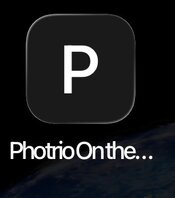
P.S. If anyone has trouble adding an app icon to their device let us know. Once you click the share button on the page and select "Add to Home Screen" (if you do not see this expand for more options) you should get an app icon like this on your device:
Last edited:


