
The darkroom is a great place to try some crazy stunts. On my morning river walk I wondered if a smart phone could project an image onto multigrade paper.
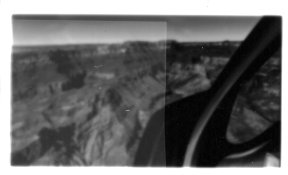
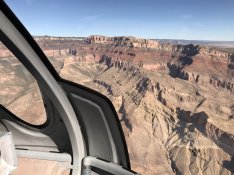
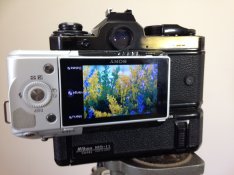
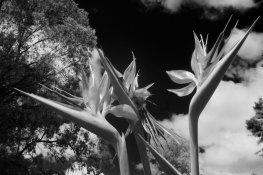
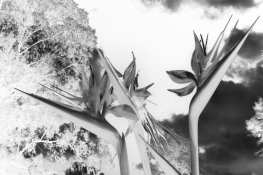
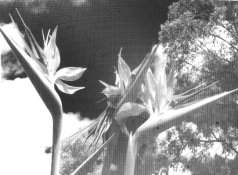
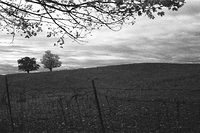
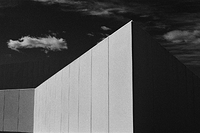
To achieve this I removed the negative carrier from the enlarger and placed my iPhone 7 face down to the lens at max brightness with a negative photo on the screen. A black cloth was draped over the enlarger to stop the side light escaping from where the neg carrier should be. The grain focuser mirror is interesting as you can achieve focus right onto the phone screen pixels. A few test strips indicated that at about 25 seconds at F2.8 and a Grade 3 filter would produce an image. I placed the red block filter in place and kept a large book over the 10x8 paper as I positioned it. Keeping the book over the paper I swapped the red block filter over for a Grade 3 filter. Removed the book and watched a clock for 23 seconds before placing the book over the paper and changing the filter back again. Developed and fixed the paper and here are the results. The first image is then a scan of the printed 10x8. What is interesting is all those flowing lines caused by the scanner which are not on the printed image. The second image is an iPhone photo of the print and is more realistic to how the finished product is. The third image is the original negative I put on the iPhone.
I think this method has potential as my print is okay for a first go. What is needed is an app on the phone that will allow the image to be squeezed into the same size as what is available in the carrier area with a black outside background. Then the full image would be projected through the lens to the print paper. With some more experimenting of the lens F-stop and the filter grades and times this could give some great results. So I guess this could be full circle for digital camera fans as they can take a digital image, convert it to a negative in Gimp, then use the smartphone through an enlarger lens to put it on a paper print in the darkroom. At least I kept to a real film negative that I had scanned in.
Hopefully you have enjoyed this and will post some of your own results. Enjoy and let me know if you come across the photo shrinking software app.
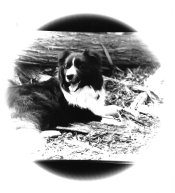
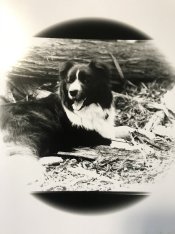
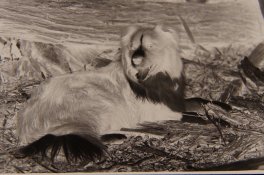
To achieve this I removed the negative carrier from the enlarger and placed my iPhone 7 face down to the lens at max brightness with a negative photo on the screen. A black cloth was draped over the enlarger to stop the side light escaping from where the neg carrier should be. The grain focuser mirror is interesting as you can achieve focus right onto the phone screen pixels. A few test strips indicated that at about 25 seconds at F2.8 and a Grade 3 filter would produce an image. I placed the red block filter in place and kept a large book over the 10x8 paper as I positioned it. Keeping the book over the paper I swapped the red block filter over for a Grade 3 filter. Removed the book and watched a clock for 23 seconds before placing the book over the paper and changing the filter back again. Developed and fixed the paper and here are the results. The first image is then a scan of the printed 10x8. What is interesting is all those flowing lines caused by the scanner which are not on the printed image. The second image is an iPhone photo of the print and is more realistic to how the finished product is. The third image is the original negative I put on the iPhone.
I think this method has potential as my print is okay for a first go. What is needed is an app on the phone that will allow the image to be squeezed into the same size as what is available in the carrier area with a black outside background. Then the full image would be projected through the lens to the print paper. With some more experimenting of the lens F-stop and the filter grades and times this could give some great results. So I guess this could be full circle for digital camera fans as they can take a digital image, convert it to a negative in Gimp, then use the smartphone through an enlarger lens to put it on a paper print in the darkroom. At least I kept to a real film negative that I had scanned in.
Hopefully you have enjoyed this and will post some of your own results. Enjoy and let me know if you come across the photo shrinking software app.